Your competitor just responded to a lead in 47 seconds with a personalised message, a product catalog, and a payment link. Automatically. At 11:43pm.
You responded the next morning. Manually. From the same WhatsApp Business App you downloaded two years ago.
That’s the gap. And it’s growing every month.
The WhatsApp Business App is a good starting point. But if your business has moved past the “one person, one phone, a handful of customers” stage — the app is actively holding you back. Let me show you exactly where it breaks down and what it’s costing you.
The WhatsApp Business App Was Never Built for Scale
Let’s be fair to the app first. Meta built it for micro-businesses. The neighbourhood chemist. The freelance designer. The one-woman boutique. For them — it’s perfect. Free, simple, works on a phone.
But somewhere along the way, growing Indian businesses started using the WhatsApp Business App as their primary customer communication tool. And then they wonder why things feel chaotic at Rs.1Cr turnover. Why leads are getting missed. Why the team is fighting over one phone. Why there’s no visibility into what’s happening.
It’s not a bug. It’s a fundamental design limitation. The WhatsApp Business App was never designed for a 10-person team handling 200 conversations a day.
I saw this play out so clearly when I was working with a fintech company’s distribution partners a few years back. These were agent networks — financial advisors, insurance agents, small loan DSAs — running their entire client communication through personal WhatsApp or WhatsApp Business App. They’d share the phone physically when another team member needed to respond. Yaar, one phone passing hands across a 6-person team. Like a baton in a relay race, except the race never ended and the baton was their entire business.
The 8 Hard Limits of the WhatsApp Business App
Limit 1 — One Device, One User (Until Very Recently)
The WhatsApp Business App is designed for one primary device. Multi-device support exists now — but it’s still limited and clunky for business use. You can link up to 4 companion devices, but there’s no agent assignment, no supervisor visibility, no conversation routing.
So if you have 5 sales people and one WhatsApp Business number — who handles what? Who saw which message? Who replied? Nobody knows. Conversations get dropped. Leads go unanswered. Chaos.
Limit 2 — No Real Automation
The WhatsApp Business App gives you three “automation” features:
- Away message (when you’re marked away)
- Greeting message (for first-time contacts)
- Quick replies (saved text shortcuts)
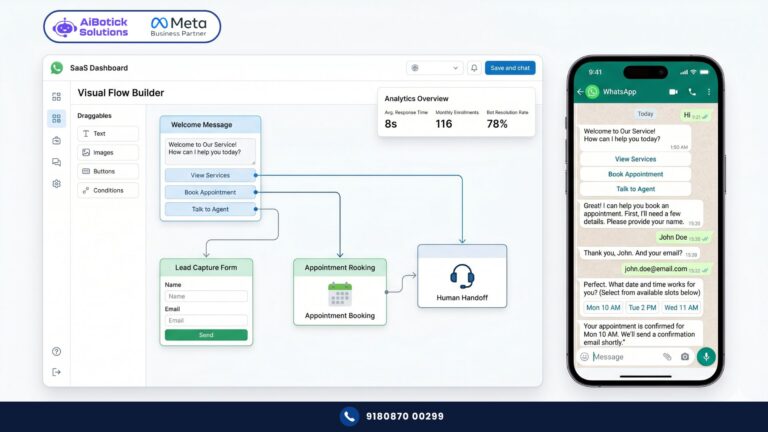
That’s it. No chatbot. No drip sequences. No conditional flows. No trigger-based messages. Nothing that runs without a human manually sending it.
So like — if a lead comes in at 9pm, the best you can do is send them an away message saying you’ll be back tomorrow. By tomorrow morning, they’ve already replied to three competitors who had 24/7 automation running.
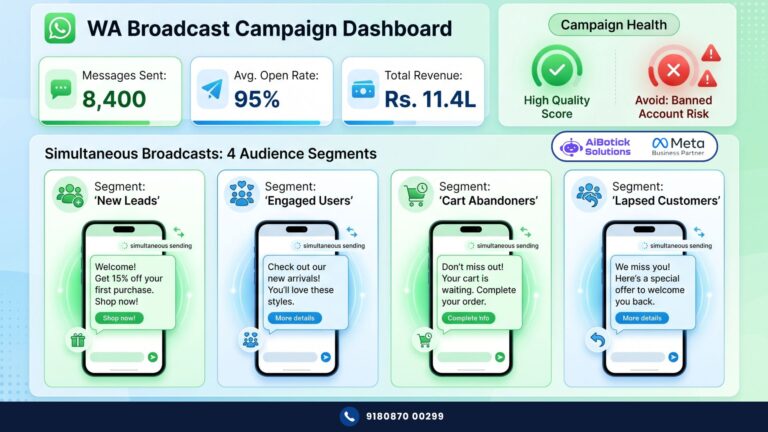
Limit 3 — Broadcast Lists Capped at 256 Contacts
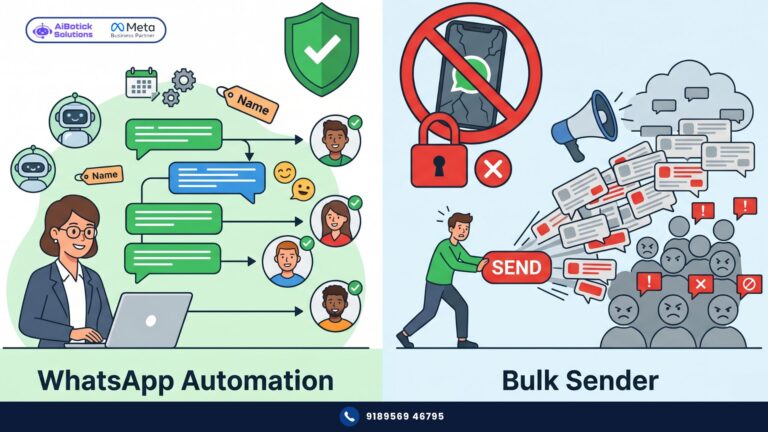
Want to send a campaign to your 5,000 customers announcing a new product? On the WhatsApp Business App, you’re looking at 20 separate broadcast lists of 256 each. Sent manually. One by one. And here’s the kicker — the recipient must have your number saved in their phone, or they don’t receive the broadcast at all.
That’s not marketing. That’s torture.
Limit 4 — No CRM Integration
The WhatsApp Business App cannot connect to HubSpot, Zoho, Salesforce, Leadsquared, or any CRM. Customer data lives in the app — isolated, unsearchable, not synced with anything.
So your sales team has lead information in the CRM and conversation history in WhatsApp and never the twain shall meet. For more on why this gap is so damaging to pipeline visibility, read our full breakdown on why WhatsApp CRM integration is non-negotiable for growing teams.
Limit 5 — No E-Commerce Integration
WhatsApp Business App cannot connect to Shopify or WooCommerce. Which means:
- No automated abandoned cart messages
- No order confirmation on WhatsApp
- No shipping update triggers
- No COD verification automation
- No return/refund flow
Every single one of these touchpoints has to be done manually. Or not at all.
Limit 6 — No Payment Collection
You cannot collect payments inside a WhatsApp Business App conversation. No payment links, no gateway integration, no in-chat checkout.
Customers ask “how do I pay?” and you have to send a UPI ID or a separate payment link manually. Every. Single. Time. The friction is real and the drop-off is real.
Limit 7 — Zero Analytics
The WhatsApp Business App shows you: messages sent, messages delivered, messages read. That’s it.
No campaign-level analytics. No reply rate per message. No agent performance tracking. No conversion attribution. No A/B testing.
You’re running your most important customer communication channel completely blind. You don’t know what’s working, what’s failing, or where leads are dropping off.
Limit 8 — No Official API Access
This is the one that underlies all the others. The WhatsApp Business App has no official API. Which means you can’t build custom integrations, webhooks, or automation workflows.
Every limitation above exists because of this one. The API is what unlocks everything else — CRM sync, chatbots, broadcasts at scale, payment gateways, analytics. Without it, you’re working within a walled garden that Meta deliberately kept small.
What People Get Wrong About the WhatsApp Business App
Wrong belief #1: “It’s fine for now — we’ll upgrade later.”
Later has a cost. Every month you spend on the WhatsApp Business App with a team of 5+ people and hundreds of leads is a month of missed follow-ups, dropped conversations, and manual work that should be automated. “Later” means you’re already paying — just in a currency that doesn’t show up on your P&L.
Wrong belief #2: “We’re not big enough for the API yet.”
No no, scratch that — this one frustrates me the most. I’ve heard it from Rs.80L turnover businesses, Rs.1.5Cr businesses, even Rs.3Cr businesses. “We’re not big enough.”
If you have more than 2 people needing WhatsApp access, more than 100 customer conversations a month, and any kind of lead follow-up process — you’re big enough. The API isn’t for enterprises only. It’s for any business that takes WhatsApp seriously as a revenue channel.
Wrong belief #3: “We’ll just share one phone for now.”
Sharing one phone across a team is not a business process. It’s a workaround that breaks down the moment someone is sick, on leave, or in a meeting. And when it breaks, a customer or lead gets no response. That silence has a cost.
Wrong belief #4: “The app is basically the same as the API — just without some features.”
It’s not the same at all. The WhatsApp Business App is consumer software with a business skin. The WhatsApp Business API is enterprise infrastructure. The gap between them is not small — it’s the difference between a bicycle and a car. Both get you somewhere. One scales.
A Real Example — What Happens When a Growing Business Stays on the App Too Long
Actually wait — I want to share this because it’s exactly what I see happening repeatedly.
A logistics company in Ahmedabad. Rs.2Cr turnover. 8-person operations team. They were managing all customer WhatsApp communication through the WhatsApp Business App on the operations manager’s phone.
Here’s what their day looked like:
- 6am: Operations manager wakes up, checks 47 unread WhatsApp messages from customers
- Spends 90 minutes manually replying to delivery status queries
- 3 urgent queries from the previous night gone unanswered for 8+ hours
- Sales team has no visibility into customer conversations — they use a separate number
- Monthly broadcasts? The manager manually copies each message and sends to lists of 200-250 contacts. Takes 4-5 hours.
- When the operations manager went on leave — WhatsApp communication for the entire company stopped for 2 days
They calculated the operations manager was spending 12-15 hours per week on WhatsApp manually. At their salary — that’s Rs.18,000-22,000 of human time per month doing what automation should handle.
They moved to WhatsApp Business API. Automation handling delivery status queries 24/7. Shared inbox across 3 team members. Broadcasts going to 8,000+ contacts in 10 minutes instead of 5 hours.
Operations manager’s WhatsApp time dropped from 15 hours a week to under 3 hours. And customer response time went from “whenever someone checks the phone” to under 4 minutes for automated queries.
Same business. Same team. Different tool.
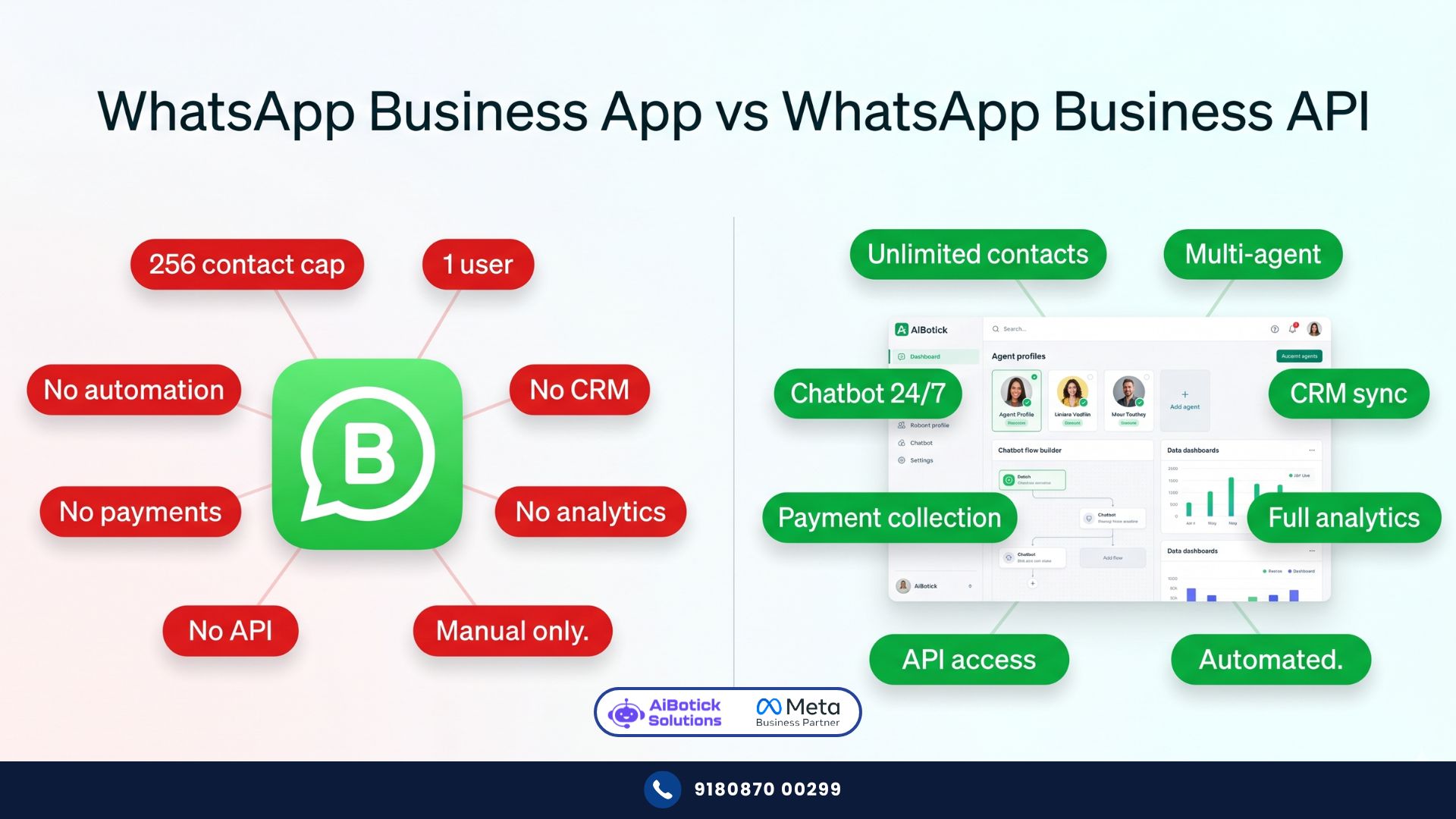
The Difference Between WhatsApp Business App and WhatsApp Business API — Side by Side
| Feature | WhatsApp Business App | WhatsApp Business API |
|---|---|---|
| Cost | Free | Platform subscription + Meta charges |
| Users | 1 primary + 4 linked (no role management) | Unlimited agents with role assignment |
| Automation | Basic away/greeting messages only | Full chatbot, drip, flows, triggers |
| Broadcasts | 256 contacts max, manual | Unlimited opted-in contacts, scheduled |
| CRM Integration | ❌ None | ✅ HubSpot, Zoho, Salesforce, and more |
| Shopify/WooCommerce | ❌ None | ✅ Full e-commerce integration |
| Payment Collection | ❌ None | ✅ 20+ payment gateways |
| Analytics | Basic read receipts only | Full campaign and agent analytics |
| API Access | ❌ None | ✅ Full API for custom integrations |
| Support for business | Basic Meta help | Platform support + onboarding |
| Suitable for | Solo / micro-business | Any business with a team and scale |
7 Signs You’ve Outgrown the WhatsApp Business App
👇 If 3 or more of these apply, you needed the API yesterday:
- More than one person needs to handle WhatsApp conversations
- You’re missing or delaying replies because nobody saw the message
- You’re doing manual follow-ups for more than 20 leads a week
- Your broadcasts take more than 30 minutes to send
- Customers ask questions at night and wait till morning for answers
- You have no idea which WhatsApp messages are converting to sales
- You want to connect WhatsApp to your CRM, Shopify, or payment gateway
If that list hit close to home — you already know the answer.
What Moving to the API Actually Looks Like in Practice
It’s not as complicated as people assume. Seedha bolta hoon — the migration from WhatsApp Business App to a proper API platform takes about 1-2 weeks including setup and team training. Not months. Not a big IT project.
The basic steps:
Week 1:
- Register your business number with a Meta-verified API provider
- Set up your business profile, get verified
- Build your first 2-3 chatbot flows for your highest-volume queries
- Set up your shared team inbox with agent assignments
Week 2:
- Import your existing contacts (opted-in list)
- Create and get your message templates approved by Meta
- Connect your CRM or e-commerce store
- Train your team on the new inbox — typically half a day
Done. You’re live.
And with a platform like AiBotick — this entire process is guided. Live onboarding sessions, dedicated WhatsApp support group, use-case specific training. You’re not figuring it out from a YouTube video.
For a clear picture of everything the API unlocks beyond just fixing the app’s limitations — our article on what WhatsApp Business API actually enables for growing Indian businesses covers the full capability stack from broadcast to payments to AI chatbots.
Honestly? My Opinion on Businesses Still Using Just the App
I’ve said this to clients directly and I’ll say it here: using the WhatsApp Business App to run a Rs.1Cr+ business is like using a calculator to run your accounts. Technically possible. Fundamentally the wrong tool for the job.
Could be wrong — but I’ve seen this pattern too many times. Businesses that upgrade to the API always say the same thing: “We should have done this 6 months ago.” Nobody says “we upgraded too early.”
The WhatsApp Business App served its purpose. It got millions of Indian businesses onto WhatsApp as a communication channel. But it was always a starting point — not a destination.
If you’re building a real business on WhatsApp — you need real infrastructure. 💯
The WhatsApp Business App isn’t bad. It just isn’t built for what you’re trying to do anymore.
When you’re ready to make the move — Chat with us on WhatsApp and we’ll walk you through exactly what your setup should look like, based on your team size, industry, and current volumes.
— Mohit Shah | 15+ years in IT industry | 4+ years in WhatsApp automation | Worked with various MNC brands | Now helping businesses figure out what actually works
Q1: What is the difference between WhatsApp Business App and WhatsApp Business API?
A1: The WhatsApp Business App is a free mobile app designed for micro-businesses — it supports one primary device, basic auto-replies, broadcasts limited to 256 contacts, and has no integration capability. The WhatsApp Business API is enterprise-grade infrastructure that enables unlimited agents on a shared inbox, full chatbot automation, large-scale broadcasting to opted-in contacts, CRM and e-commerce integration, payment collection, and detailed analytics. The API requires a subscription with a Meta-verified provider but is appropriate for any business with a team and real customer communication volume.
Q2: When should a business upgrade from the WhatsApp Business App to the API?
A2: Upgrade when any of these apply: more than one person needs WhatsApp access, you’re managing over 100 customer conversations a month, you need to broadcast to more than 256 contacts, you want automation running outside business hours, or you need to connect WhatsApp to a CRM, e-commerce platform, or payment gateway. Most Indian businesses at Rs.50L+ turnover with a customer-facing team have already outgrown the app — they just haven’t made the switch yet. The upgrade typically takes 1-2 weeks including setup and team training.
Q3: Can I keep my existing WhatsApp Business number when upgrading to the API?
A3: Yes — in most cases, you can migrate your existing WhatsApp Business number to the API without losing it. The process involves verifying the number with Meta through your API provider and completing a business verification step. Your number remains the same, your contacts can still reach you, and your chat history is preserved on your device. What changes is the backend infrastructure powering that number — moving from the app to API gives you access to all the automation, multi-agent, and integration capabilities that the app doesn’t support.