Tuesday morning. 7:43am.
Your senior faculty calls in sick. Batch of 85 students scheduled for 9am. You need to inform all of them — right now — before they leave home, before they travel, before parents drop their kids to your institute and then you’re dealing with 85 angry families.
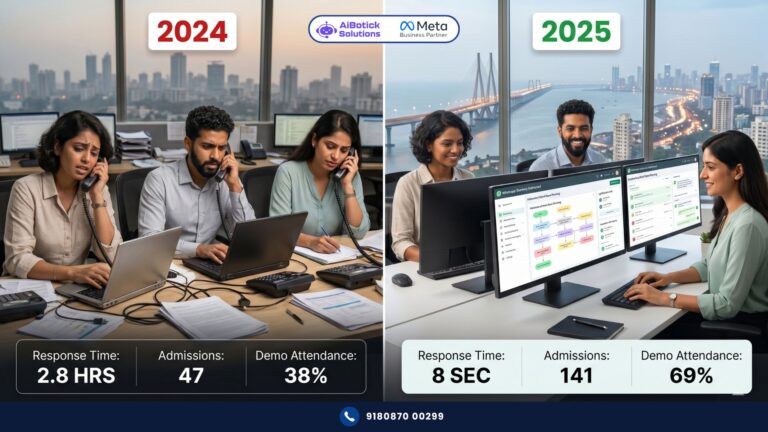
Old way: Two staff members frantically calling and messaging from personal phones. By the time they reach student number 40, some are already in autos heading over. Three parents are furious. One calls to complain to the director. The morning is ruined before it started.
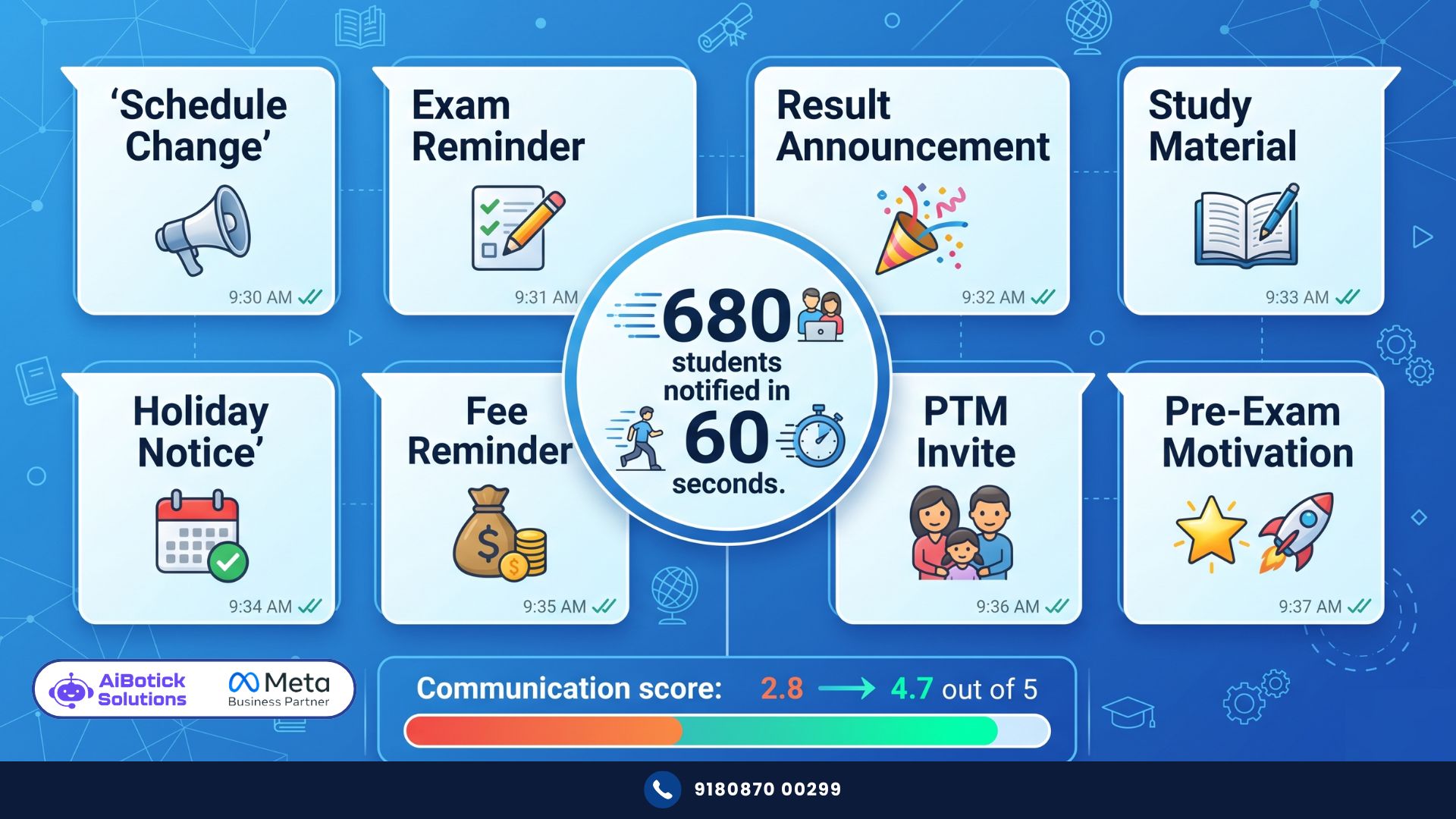
New way: One person logs into AiBotick. Selects “Batch 9A — Morning JEE.” Types the message. Hits send. In 60 seconds — all 85 students and their parents have received a personalised WhatsApp notification. 94% have read it within 8 minutes.
Zero stress. Zero angry parents. Zero wasted journeys.
That’s WhatsApp batch notifications done right. And honestly — among everything WhatsApp automation does for education businesses — this is the one that makes operations teams actually emotional when they first see it work. Because they know exactly how many mornings like that Tuesday they’ve survived. 😅
The Actual Scale of the Problem Nobody Talks About
Let me give you some numbers that will make you uncomfortable if you’re currently managing batch communication manually.
A mid-size coaching institute with 500 enrolled students across 12 batches — how much time does their staff spend on routine batch communication per week?
Let me estimate conservatively:
- Schedule changes/announcements: 3-4 per week × 30 minutes per announcement = 1.5-2 hours
- Exam reminders (2 per week): 2 × 45 minutes = 1.5 hours
- Result announcements: 1 per week × 60 minutes = 1 hour
- Holiday/event notifications: 1 per week × 30 minutes = 30 minutes
- Miscellaneous updates: 1 hour
Total: 5.5-6 hours per week. Every week. 52 weeks a year.
That’s 286-312 hours annually — roughly 7-8 full working weeks — spent purely on batch communication. By qualified staff who should be doing far more valuable work.
And that’s without counting errors. Wrong batch notified. Student missed because their number wasn’t updated. Message sent to last year’s batch by mistake. These happen. Regularly.
WhatsApp batch notifications automation eliminates all of it. The 300 hours. The errors. The stress.
Every Type of WhatsApp Batch Notification — Complete List
Most institutes think “batch notifications” means just exam reminders. That’s like saying “email” means just newsletters.
Here’s the complete universe of what WhatsApp batch notifications can handle:
Academic Notifications
Class Schedule Change: “📢 Schedule Update — Batch [Name]
[Faculty Name]’s class originally scheduled for [Day, Time] has been rescheduled to [New Day, Time] due to [brief reason].
Updated schedule for this week: [Day 1]: [Subject] — [Time] [Day 2]: [Subject] — [Time] [Day 3]: [Subject] — [Time]
Apologies for the short notice. See you then! 🙏 — [Institute Name]”
Exam Reminder — 1 Week Before: “📝 Exam Alert — [Student Name]
Your [Subject/Module] exam is scheduled on [Date] at [Time].
Exam details: 📍 Venue: [Room/Centre] ⏰ Reporting time: [30 min before exam time] 📋 Bring: [Admit card, ID, stationery] 📖 Syllabus covered: [Topics — keep brief]
Any doubts? Reply here or attend the doubt session on [Date]. 💪 — [Institute Name]”
Result Announcement: “🎉 Results are out, [Student Name]!
[Subject/Module] Exam Results: Your score: [Score] / [Total] Batch average: [Average] Your percentile: [X]th percentile
[If top performer]: Outstanding performance! You’re in the top [X]% of the batch. 🏆 [If below average]: Don’t worry — your doubt session is scheduled for [Date]. Let’s work on this together.
Full result details: [Link or “Available at the institute”] — [Institute Name]”
This personalised result message — imagine receiving this as a student versus a generic “results are on the notice board” SMS. Completely different emotional experience.
Study Material Released: “📚 New study material uploaded, [Student Name]!
[Topic/Chapter Name] — [Module Number] Content: [Brief description — eg: “Theory notes + 40 practice questions + 2 previous year papers”] Download here: [Link]
Faculty tip: [Specific advice on how to approach this material — makes it feel personal] — [Institute Name]”
Operational Notifications
Holiday Announcement: “📅 Holiday Notice — [Institute Name]
[Institute Name] will remain closed on [Date] on account of [Reason].
Classes will resume from [Next date] as per normal schedule.
For online students: [Any specific instruction]
Enjoy the break! 🙏”
Fee Reminder (covered in detail in our WhatsApp fee reminder automation guide):
Quick cross-mention — fee reminders sent at batch level (batch-wise due dates) versus individual student level perform differently. Batch-level reminders create peer awareness (“everyone in my batch is being reminded”). Individual reminders feel more personal. Best practice — both, at different times in the collection cycle.
Parent-Teacher Meeting Announcement: “📢 Parent-Teacher Meeting
Dear [Parent Name],
We’re conducting PTM for [Batch Name] on [Date] from [Time] to [Time].
Schedule: [Time slot 1]: [Student batch] [Time slot 2]: [Student batch]
Please book your slot: [Booking link / Reply with preferred time]
Agenda: [Student Name]’s progress, upcoming exams, areas to focus on.
Looking forward to connecting with you. 🙏 — [Faculty Name / Director Name]”
PTM attendance rates with WhatsApp scheduling versus manual calls — dramatically higher. Because booking is frictionless, reminder arrives at right time, and parent feels informed.
Motivational and Community Notifications
Pre-Exam Motivation: “[Student Name], exam day tomorrow. 🌟
You’ve attended [X] classes, solved [Y] practice papers, and covered everything in the syllabus.
Kal paper mein wahi aayega jo tumne padha hai. Bas woh dikhao jo tum jaante ho.
Get good sleep tonight. Eat well tomorrow morning. You’ve got this. — [Faculty Name]”
This message — I’ve seen institutes use this and get responses back. Students saying “thank you sir” at 10pm the night before the exam. That’s community. That’s what turns a transactional coaching relationship into a brand with lifetime loyalty.
Batch Topper Recognition: “🏆 Batch Star — [Batch Name]
This week’s topper: [Student Name] with [Score] in [Subject]!
[Personal detail about the student’s effort — eg: ‘Consistently attended every doubt session this month’]
Congratulations [Student Name] — you’re setting the standard for the batch. 👏 — [Institute Name]”
Public recognition on the same platform where the whole batch is connected — powerful motivation engine. Students work harder when they know peers might see their name here.
How Segmentation Makes WhatsApp Batch Notifications Actually Work
Here’s where most institutes get it wrong.
They create one WhatsApp broadcast group: “All Students.” Send everything to everyone.
JEE student gets NEET exam reminder. Class 9 foundation student gets JEE mock test alert. Parent of student in Evening batch gets Morning batch holiday notice.
Confusion. Irrelevance. Ignored messages. Eventual muting.
WhatsApp batch notifications work through precise segmentation. Every student and parent tagged with their exact identifiers:
- Batch code
- Course type (JEE/NEET/Foundation/Board)
- Class timing (Morning/Afternoon/Evening)
- Faculty assignment
- Enrollment date (for academic stage relevance)
- Parent vs student (different message tone for each)
AiBotick allows custom fields and labels for every contact. Once tagged — sending to “Morning Batch JEE Mains students with upcoming exam” is a 3-second operation. Not a 30-minute manual exercise.
The right message to the right person at the right time — that’s what makes WhatsApp batch notifications actually effective instead of just another channel that gets ignored.
Real Story — Ahmedabad Board Exam Coaching
This one is particularly close to home. I worked directly on this implementation.
Class 10 and Class 12 board exam coaching institute. Ahmedabad. 680 enrolled students across 24 batches.
Their situation before WhatsApp batch notifications automation was genuinely chaotic.
3 office staff spending 4-5 hours daily managing communication. Multiple personal WhatsApp numbers in use. Students in the wrong groups. Parents getting messages meant for students. Faculty announcements being manually forwarded.
And during board exam season — March/April — the situation became a crisis. Practical exam schedules changing. Hall ticket collection reminders. Last-minute venue changes. Staff were overwhelmed. Errors were common. Parent complaints were constant.
After implementing WhatsApp batch notifications automation:
Time spent on batch communication: down from 4-5 hours daily to 35-40 minutes (only for content creation — sending is instant and automatic).
During board exam season — institute sent 47 different batch notifications in 3 weeks. Zero errors. Zero wrong batch notifications. All 680 students and their parents received exactly the right information at the right time.
Parent satisfaction surveys (they run them quarterly) — communication satisfaction score went from 2.8/5 to 4.7/5.
Actually wait — that 4.7/5 is significant. Because this institute’s academics were always strong. Their results were good. But parent perception was dragged down by poor communication. After fixing communication — suddenly the perception caught up to the reality of the product.
New enrollment enquiries mentioning “we heard your communication is very good” — increased by 34% the following admission season.
Word of mouth from better communication. Not from better results. Results were always good. Communication is what changed the narrative.
What Institutes Get Wrong About WhatsApp Batch Notifications
One thing. And it’s preventable.
They automate the channel but forget the content quality.
“Class cancelled today” — technically correct. But it arrives without explanation, without alternative arrangement, without any acknowledgment of the inconvenience.
Compare to: “Class cancelled today — [Faculty Name] is unwell. We’ve arranged a makeup class on [Date] and uploaded the day’s notes here: [Link]. Sorry for the short notice — your preparation won’t be affected. 🙏”
Same information. Completely different parent and student response.
WhatsApp batch notifications automation handles delivery. You are still responsible for content quality. The message that arrives should feel like it was written by someone who cares — not generated by a system that just needed to check a box.
Write your notification templates with the same care you’d use writing to a parent you’d have to face at PTM. Because you will.
Setting Up WhatsApp Batch Notifications — Exactly What to Do
Step 1 — Build your student database with segments Every student in a Google Sheet with: Name, Parent name, Parent phone, Student phone, Batch code, Course, Timing, Faculty, Enrollment date. This is the foundation. Invest time here — clean data = clean communication.
Step 2 — Import and tag in AiBotick Upload the database. Assign custom field tags — batch, course, timing, faculty. AiBotick reads these tags and enables precise segment-targeting for every notification.
Step 3 — Build your standard notification templates Create and get Meta-approved templates for your 8-10 most common notification types: schedule change, exam reminder, result announcement, holiday notice, material upload, PTM invite. One setup effort — reusable forever.
Step 4 — Train the person who will send notifications This system is powerful in the right hands. The person sending notifications needs to understand segmentation — which batch gets which message. 30-minute training session. After that — they’ll never go back to manual.
Step 5 — Set up automated reminders Exam reminders and fee reminders — these can be fully automated (trigger fires X days before exam date). Everything else — manually triggered but sent automatically through the platform.
For how batch notifications integrate into the complete student communication system — our WhatsApp student onboarding guide shows how notifications fit into the broader student journey from enrollment to completion.
Toh institute walon se ek seedha sawaal.
Aapke staff ki subah ka pehla ghanta kaise jaata hai?
If the honest answer is “managing messages, forwarding updates, calling parents about schedule changes” — you already know what needs to change.
WhatsApp batch notifications automation frees your team from operational chaos so they can focus on what actually moves your institute forward — student results, faculty quality, new enrollments, and parent relationships.
The technology is ready. The platform is live. The question is just when you decide to stop doing manually what a system can do better.
Tap below. 👇 Tell us your total enrolled student count, number of active batches, and biggest communication pain point — we’ll design your complete batch notification system and show you how quickly you can go live.
— Mohit Shah | 15+ years in IT industry | 4+ years in WhatsApp automation | Now helping businesses figure out what actually works
Q1: What types of notifications can coaching institutes send through WhatsApp batch notifications?
A1: WhatsApp batch notifications cover the complete communication spectrum for education institutes — academic notifications (class schedule changes, exam reminders with venue details, personalised result announcements, study material uploads), operational notifications (holiday announcements, fee reminders, parent-teacher meeting invites with slot booking), and community notifications (pre-exam motivation messages, batch topper recognition). All are sent simultaneously to precise student segments — the right batch receives the right message, with no wrong-batch errors possible when segmentation is set up correctly.
Q2: How does segmentation work for WhatsApp batch notifications at a coaching institute?
A2: Every student is tagged in the platform with their specific identifiers — batch code, course type (JEE/NEET/Foundation), class timing (morning/afternoon/evening), faculty, and enrollment stage. When sending any notification, the sender selects the exact segment — “Morning JEE Mains students with exam next week” — and only those students receive the message. This eliminates the most common error in manual communication — NEET students receiving JEE exam reminders, or Class 9 students getting Class 12 notifications.
Q3: How much time does WhatsApp batch notifications automation save for coaching institute staff?
A3: An institute with 500+ students across 12 batches typically spends 5-6 hours weekly on manual batch communication — schedule changes, exam reminders, results, holiday notices, material updates. WhatsApp batch notifications automation reduces this to 35-45 minutes weekly (only time needed is writing the message content — sending is instant). That’s 280-300 hours annually redirected from administrative communication to student support, doubt clearance, and relationship building.