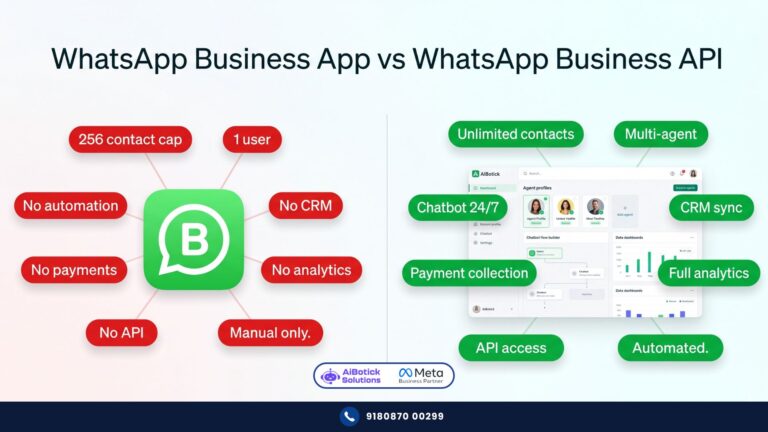
WhatsApp Business API aur WhatsApp Business App — yeh do cheezein hain jo har Indian business owner confuse karta hai.
Okay bhai, honest question.
How many of you are running your entire business on a regular WhatsApp number — the same app you use to send memes to your college group? 😅
Don’t worry. You’re not alone. I’ve seen this at companies with 200 employees. A sales manager, personal WhatsApp, 47 unread chats, and zero system.
And on the other end — I’ve seen small 5-person teams using the full WhatsApp Business API when the free Business App would’ve been more than enough for them.
Both situations waste time and money.
So let’s fix this today. Once and for all.
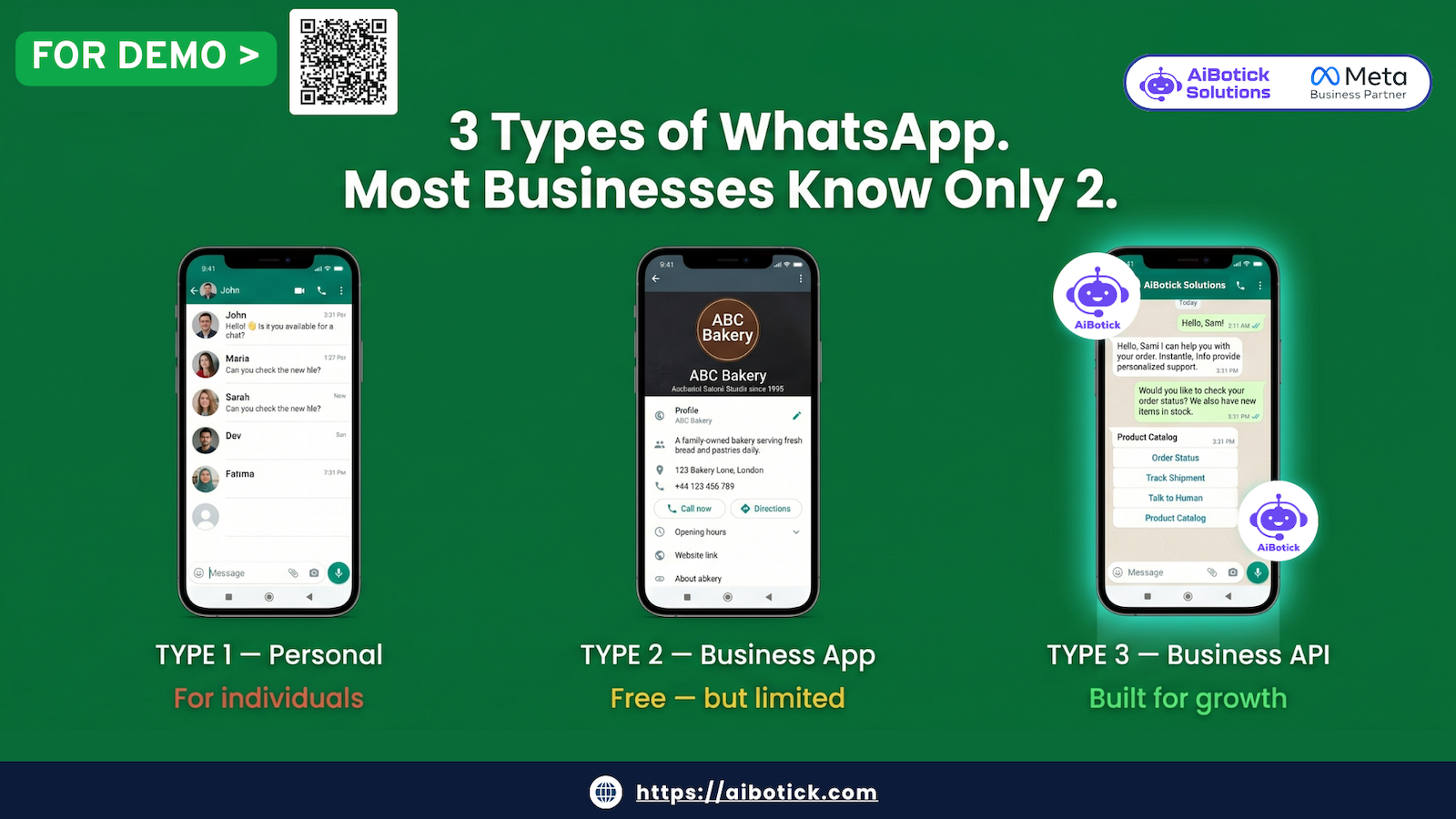
There are 3 versions of WhatsApp. Each built for a different purpose. Each with different features, different limitations, different costs.
By the end of this article — you’ll know exactly which one your business needs. No confusion. No second-guessing.
First — Why Does This Even Matter?
Because picking the wrong WhatsApp version is like hiring a rickshaw to move a truck-full of goods.
It’ll work. Technically. But you’ll make 40 trips, burn out your driver, and lose half the goods along the way.
Your WhatsApp version determines:
- How many people can handle customer chats simultaneously
- Whether you can automate replies or not
- Whether you can run broadcast campaigns legally
- Whether leads get lost when your salesperson quits
- Whether your business looks professional or like someone’s personal number
This is not a small decision. Let’s take it seriously.
Version 1 — WhatsApp Messenger (The Personal App)
Yaar, you already know this one. It’s on everyone’s phone since forever.
What it is: The original WhatsApp. Built for personal conversations. Friends, family, that one uncle who forwards 11 good morning messages before 7am. 😄
What businesses use it for (wrongly):
- Sending order updates from a personal number
- Running “broadcast lists” to customers
- Having sales guys chat with leads from their personal phones
The problem with using personal WhatsApp for business:
- When your salesperson leaves — they take ALL the customer contacts with them. Gone. No backup.
- Broadcast lists? Limited to 256 contacts. And the recipient must have YOUR number saved. Good luck with that.
- Zero automation. Every single reply is manual.
- No business profile. No catalog. No quick replies.
- You look unprofessional. Customers wonder if they’re talking to a business or someone’s personal account.
- WhatsApp can ban your number if they detect business usage. And they do detect it.
Who should use it: Honestly? Nobody for business. Even a 1-person freelancer is better off with the Business App.
Cost: Free.
Version 2 — WhatsApp Business App (The Free Business Version)
This is where most small businesses are right now. And for many of them — it’s absolutely the right place to be.
Meta launched the WhatsApp Business App specifically for small businesses. It’s free. It’s easy. And it genuinely solves a lot of problems that personal WhatsApp creates.
What you get:
- Business Profile — Add your address, website, email, business hours, description. Looks professional. Customers know they’re talking to a real business.
- Quick Replies — Set shortcuts for common answers. Type “/” and your saved reply pops up. Saves 10-15 minutes a day easily.
- Away Message — Auto-reply when you’re offline. “We’re closed right now, will reply by 10am.” Basic but useful.
- Greeting Message — First time a customer messages you? They get an automatic welcome. Nice touch.
- Labels — Tag chats as “New Lead,” “Order Placed,” “Payment Pending.” Basic CRM, basically.
- Catalog — Show your products/services inside WhatsApp. Customer can browse without leaving the app.
- Broadcast Lists — Send a message to up to 256 contacts at once. They receive it as a personal message (not a group).
Sounds great, right? For a small team, it genuinely is.
But here’s where it breaks down:
- One phone. One number. One person. Your entire business WhatsApp is tied to one device. If that person is on leave, sick, or quits — nobody can access the chats.
- No multiple agents. Can’t have your 5-person support team all handling chats from one number simultaneously. Not possible.
- No real automation. Away message and greeting message are it. No chatbot. No conversation flows. No “if customer says X, reply with Y.”
- Broadcast limit is 256. And again — only people who have saved your number get the message. For a business with 10,000 customers? Useless.
- No integration with anything. CRM, website, Shopify, payment gateway — none of it connects to this app.
- WhatsApp Web only on one computer at a time. One laptop. That’s it.
Still not sure if automation is right for your business? Here are 10 signs you’ve already outgrown manual WhatsApp.
Who should use WhatsApp Business App:
- Solo founders and freelancers
- Very small teams (1-3 people)
- Businesses with less than 50 customer conversations per day
- Businesses just starting out, testing WhatsApp before investing
- Local shops, home-based businesses, small service providers
If your monthly turnover is under Rs.10-15 lakh and you’re handling everything yourself or with 1-2 people — the Business App is honestly enough. Don’t overspend.
Cost: Free. Available on Android and iOS.
Version 3 — WhatsApp Business API (The Serious Business Version)
Okay. Now we’re talking.
This is the one that actually changes businesses.
I’ve spent 15 years working with this technology — across multiple companies, hundreds of deployments. And I’ll tell you straight: when a business implements the API correctly, the results are almost always dramatic.
But first — what even IS the API?
API = Application Programming Interface.
In simple language: it’s a way for software to talk to WhatsApp’s servers directly. Instead of a phone app, your business connects to WhatsApp through a platform — and that platform gives you superpowers the app simply can’t.
Want to understand exactly how WhatsApp automation works? Read our plain-English guide here.
Here’s what you get with the WhatsApp Business API:
Automation:
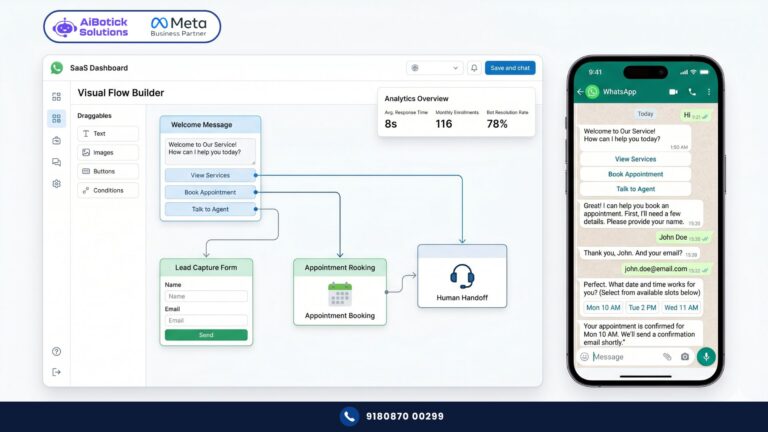
- Build chatbots that handle entire conversations without human involvement
- Set up flows — “if customer asks about pricing, send pricing card. If they say interested, book a demo slot automatically.”
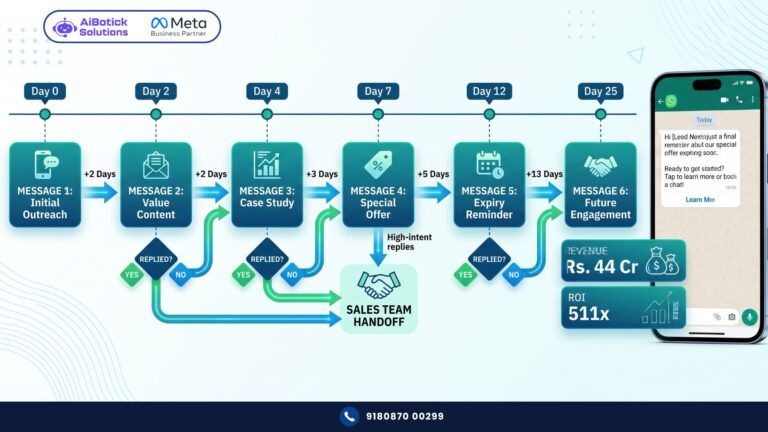
- Drip sequences — follow up with a lead at Day 1, Day 3, Day 7, automatically
- Trigger messages from external events — someone fills your website form? Instant WhatsApp message. Someone abandons a cart on Shopify? Automatic recovery message in 30 minutes.
Scale:
- Multiple agents handling chats from ONE number simultaneously
- Shared team inbox — every agent sees all conversations, no duplication, no confusion
- Handle 500 conversations a day without breaking a sweat
Broadcasting that actually works:
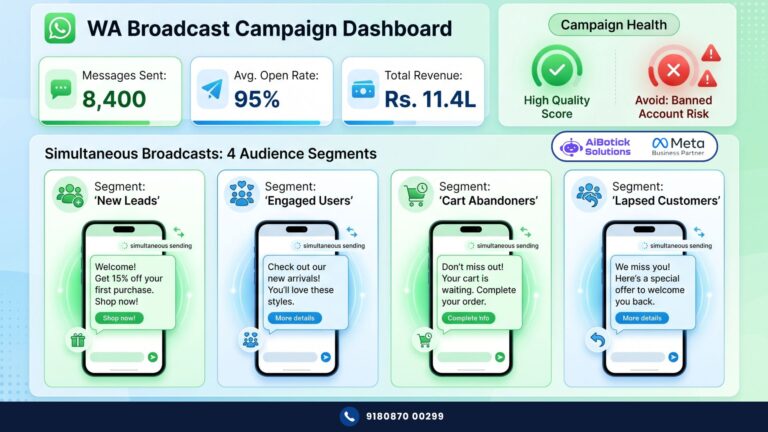
- Send to unlimited contacts (not 256)
- Recipients don’t need to have your number saved
- Segment your audience — send different messages to different customer groups
- Schedule campaigns in advance
Integrations:
- Connect to your CRM — every chat automatically logged
- Shopify, WooCommerce — order updates, abandoned cart, COD verification, all automated
- Razorpay, PhonePe, Stripe — collect payment inside WhatsApp
- Google Sheets, Zapier, 5000+ apps — your WhatsApp becomes the centre of your business operations
AI:
- Train an AI bot on your business — it learns your products, your FAQs, your pricing, your tone
- The bot handles routine queries. Complex ones get routed to a human agent.
- 24×7. No salary. No leaves. No mood issues. 😄
Analytics:
- See delivery rates, read rates, response times
- Which campaign performed, which didn’t
- Agent performance — who’s resolving queries fastest
Looks and feels professional:
- Official Meta-verified green tick (blue tick equivalent for businesses)
- Your company name shows up — not a phone number
- Branded, structured, credible
Who should use WhatsApp Business API:
- Any business getting 50+ customer conversations per day
- Companies with a sales or support team (even 3-4 people)
- Ecommerce brands running marketing campaigns
- Coaching institutes managing 100+ student enquiries
- Real estate developers with high lead volume
- Any business that wants WhatsApp to be a revenue channel — not just a chat app
WhatsApp Business API is not just an upgrade — it’s a completely different category of tool.
Cost: Two parts —
- Meta charges per conversation (roughly Rs.0.11 for utility messages, Rs.0.86 for marketing messages in India — April 2026 rates)
- Platform fee to your API provider (varies by provider and plan)
Full WhatsApp API pricing breakdown
Side-by-Side: All 3 Versions Compared
Let’s make this stupidly simple. Here’s every important parameter in one place:
| Parameter | WhatsApp Messenger | WhatsApp Business App | WhatsApp Business API |
|---|---|---|---|
| Who it’s for | Personal use | Small businesses, solopreneurs | Mid-size & large businesses |
| Cost | Free | Free | Paid (Meta + Platform fee) |
| Multiple agents | ❌ No | ❌ No | ✅ Yes — unlimited |
| Chatbot / Automation | ❌ No | ❌ No | ✅ Yes — full automation |
| Broadcasting | ❌ Broadcast lists (256 only) | ⚠️ 256 contacts only | ✅ Unlimited contacts |
| CRM Integration | ❌ No | ❌ No | ✅ Yes |
| Ecommerce Integration | ❌ No | ❌ No | ✅ Shopify, WooCommerce, etc. |
| Payment Collection | ❌ No | ❌ No | ✅ 20+ payment gateways |
| AI Chatbot | ❌ No | ❌ No | ✅ Chatgpt(OpenAI) |
| Business Profile | ❌ No | ✅ Yes | ✅ Yes (+ verified badge) |
| Product Catalog | ❌ No | ✅ Basic | ✅ Advanced with checkout |
| Analytics | ❌ No | ⚠️ Very basic | ✅ Detailed |
| Official Meta support | ✅ Yes | ✅ Yes | ✅ Yes |
| Risk of ban | High (if used for business) | Low | Very Low (official channel) |
| Mobile app | ✅ Yes | ✅ Yes | ✅ Yes (via platform app) |
| Best for turnover | N/A | Under Rs.15-20L/month | Rs.20L/month and above |
The Most Common Mistake I See
“Mohit bhai, we’re managing. The Business App is working fine.”
I hear this from businesses doing Rs.2-3 crore a year. Managing 200 enquiries a month manually. Two salespeople, both on their personal phones, both overwhelmed.
They think it’s “working fine” because they don’t know what they’re missing.
What they don’t see:
- The 30 leads that went cold because nobody replied within 2 hours
- The Rs.4 lakh in abandoned carts that nobody recovered
- The support staff answering the same 5 questions 40 times a day
- The client data that walked out the door when their best salesperson resigned
The Business App didn’t fail them. It did exactly what it was built to do — support a small, manual operation.
They outgrew it. They just didn’t notice.
So — Which One Is for YOU?
Simple decision tree. Be honest with yourself:
Use WhatsApp Messenger if: Honestly, just don’t use it for business. Move to the Business App minimum.
Use WhatsApp Business App if:
- You’re a solo founder or very small team
- Under 50 conversations per day
- Not running any marketing campaigns
- Just need a professional profile and quick replies
Use WhatsApp Business API if:
- You have a team of even 3-4 people handling customer chats
- You’re getting 50+ enquiries a day
- You want to run broadcast campaigns to 1000+ contacts
- You sell online (Shopify/WooCommerce)
- You want a chatbot to handle routine queries
- You’re serious about WhatsApp being a revenue channel
Agar aapka business grow kar raha hai — and you’re reading this article — honestly, you probably already need the API. You might just not know it yet.
Last Thing — One Myth I Need to Kill
“WhatsApp Business API is complicated to set up.”
Nope.
With the right platform — you’re live in 48 hours. No coding. No technical team needed. Your number gets connected, your first bot flow gets built, and your team gets trained.
The hard part isn’t the tech. The hard part is deciding to stop doing things manually.
That decision? Only you can make it.
But if you want to see exactly what the API looks like for your specific business — what the chatbot would say, how the inbox would work, what automation makes sense for your industry — just tap below. 👇
💬 Chat with us on WhatsApp — We’ll show you a live demo
No forms. No long calls. Just a real conversation.
— Mohit Shah | 15+ years Learning & Growing | Now helping businesses figure out what actually works
Q1. What is the difference between WhatsApp and WhatsApp Business?
A1. WhatsApp is a personal messaging app. WhatsApp Business is a free app built for small businesses — it adds a business profile, quick replies, and basic auto-replies. But it still runs on one phone, one number, one person. No chatbots. No bulk messaging. No team inbox.
Q2. Who should use WhatsApp Business API?
A2. Any business that gets more than 50-100 enquiries a day, has a team handling customer chats, runs marketing campaigns, or wants to automate responses. If you’re serious about using WhatsApp as a sales and support channel — the API is the only option that actually scales.
Q3. Is WhatsApp Business API free?
A3. No. You pay Meta per conversation (roughly Rs.0.11–Rs.0.86 per conversation depending on type) plus a monthly platform fee to your API provider. But the ROI is almost always positive within the first month for any business with decent enquiry volume.