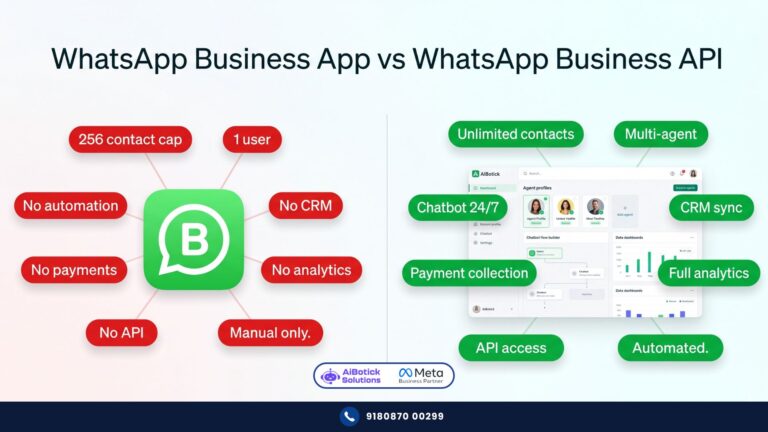
WhatsApp Business API — ye words jo har Indian business owner ne suna hai. Par almost nobody actually knows what it means.
Let me tell you something funny.
I’ve sat across the table from marketing heads of Rs.50 crore companies — sharp, experienced people — who nodded confidently when someone mentioned “WhatsApp Business API” in a meeting.
Then I’d ask: “So what do you understand by it?”
Silence. Or something vague like “it’s the advanced WhatsApp, right?”
And honestly? Fair enough. Because nobody explains this thing properly.
Every article out there is either written for developers — full of technical jargon that makes your eyes glaze over — or it’s a sales pitch dressed up as an explanation.
This is neither.
I’ve spent 15 years working with this technology. Let me just tell you what it is. Simple. Clear. No drama.
Start Here — What is an API? (Skip if You Know)
API stands for Application Programming Interface.
Boring full form. But the concept is dead simple.
Think of an API like a waiter at a restaurant. 🍽️
You’re sitting at your table (your business software). The kitchen is WhatsApp’s servers. You can’t walk into the kitchen yourself — that’s not allowed. But the waiter (API) goes back and forth between you and the kitchen — taking your orders, bringing back food.
That’s it. An API is just a messenger between two software systems.
So WhatsApp Business API = the official messenger that lets your business software talk directly to WhatsApp’s servers.
Simple, right? Let’s build on that.
Not sure which WhatsApp version is right for you? We compared all 3 types in detail here.
So What Exactly IS WhatsApp Business API?
WhatsApp Business API is an official gateway — created and controlled by Meta — that allows businesses to connect WhatsApp to their own systems and platforms.
Not an app. Not something you download from Play Store.
It’s a technical connection. A pipe, basically. That pipe allows:
- Your CRM to send WhatsApp messages automatically
- A chatbot to have full conversations with customers
- Your entire support team to handle chats from one number simultaneously
- Your Shopify store to trigger WhatsApp messages on specific events
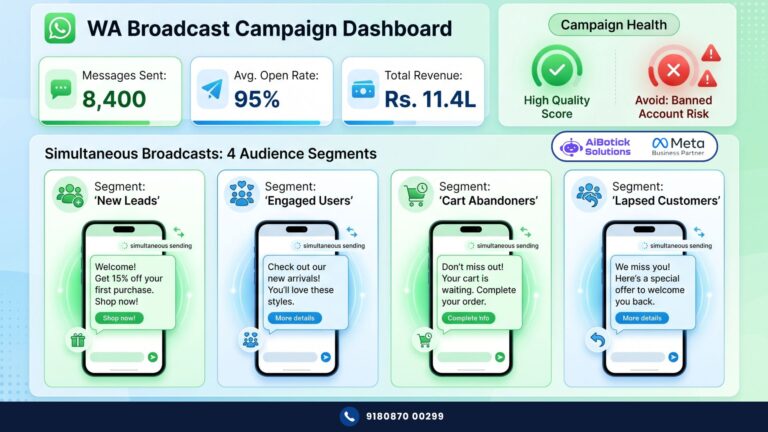
- Your marketing team to run broadcast campaigns to 50,000 contacts
- A payment gateway to collect money inside a WhatsApp chat
None of this is possible with the regular WhatsApp Business App. None of it.
The API is what separates businesses that use WhatsApp casually from businesses that use WhatsApp as a serious revenue engine.
How Does It Actually Work? (The Non-Technical Explanation)
Okay, here’s where most explanations lose people. Let me keep this real.
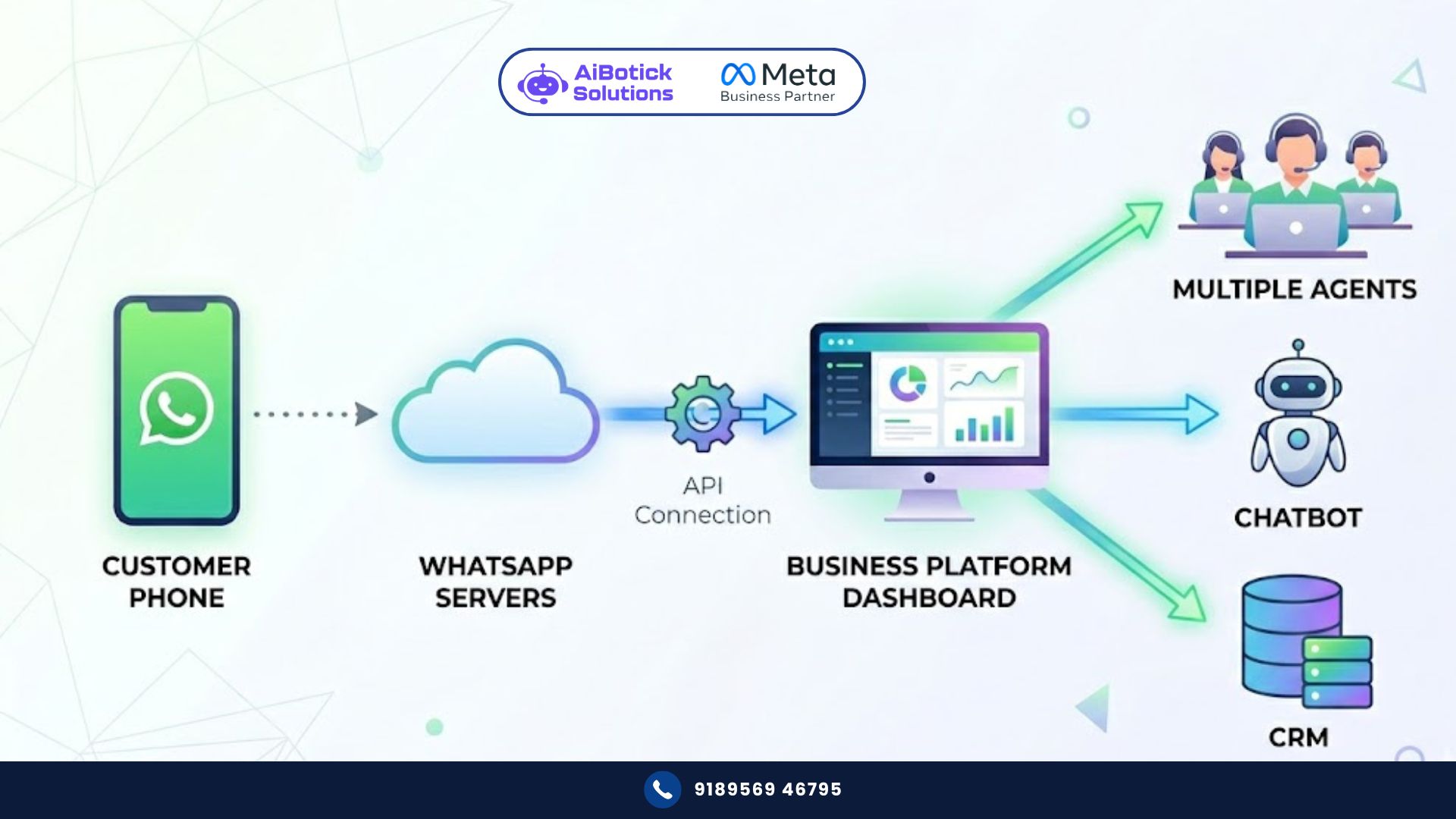
When you use WhatsApp Business API, here’s what’s actually happening behind the scenes:
Step 1 — Your business connects to Meta’s servers Through an official provider (more on this in a minute), your business gets an approved connection to WhatsApp’s infrastructure. Meta knows you exist. Meta has verified you’re a real business. You’re now “official.”
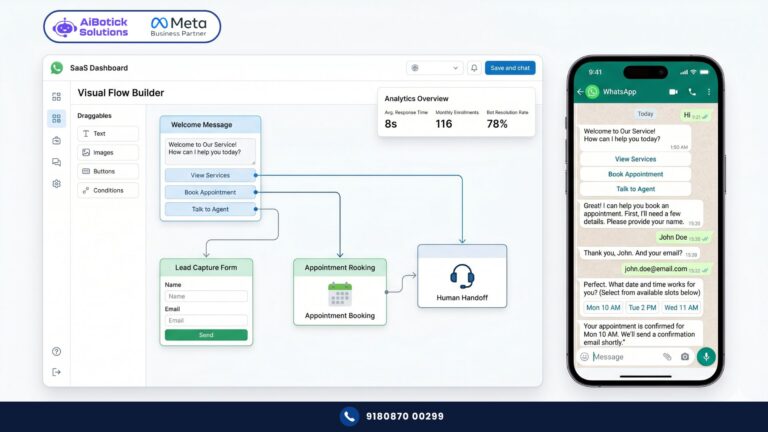
Step 2 — A platform sits on top of that connection This is the software you actually use day-to-day. It has a dashboard — where your team logs in, sees all customer chats, builds chatbot flows, schedules broadcasts, checks analytics. You never touch any code. The platform handles all the technical plumbing.
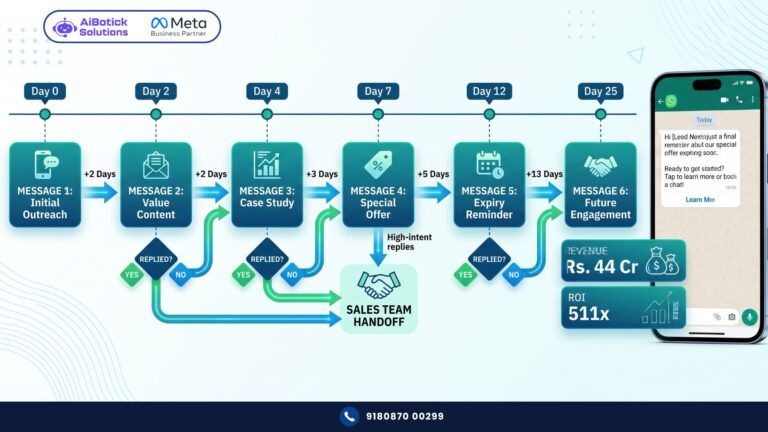
Step 3 — Everything gets automated Customer sends a message → chatbot responds instantly. Someone fills your website form → WhatsApp message fires automatically. Someone abandons their cart → recovery message in 30 minutes. Your team handles only the complex conversations that need a human.
Step 4 — Everything gets logged Every conversation, every agent response, every campaign — tracked, measured, reportable. No more “I think I replied to that lead, not sure.”
That’s the full picture. Customer → WhatsApp → API → Your Platform → Your Team + Bot.
Who Controls the WhatsApp Business API?
Meta. Completely.
This is important to understand — because it affects everything from pricing to what you can and can’t send.
Meta built the API. Meta approves who can access it. And Meta decides the rules — what kinds of messages are allowed, how many you can send, what happens if you violate policies.
You can’t get the API directly from Meta as a regular business. You need to go through an approved partner.
Which brings us to the next question everyone asks…
How Do You Actually Get WhatsApp Business API in India?
Two ways:
Way 1 — Directly through Meta Cloud API (Technical) Meta opened direct access in 2022. But honestly? It’s for developers. You need technical knowledge to set it up, maintain it, handle errors, build everything from scratch. No dashboard. No chatbot builder. Just raw API access.
Unless you have a full tech team — skip this.
Way 2 — Through a WhatsApp Business Solution Provider (Smart) This is how 99% of Indian businesses do it.
A BSP (Business Solution Provider) is a company officially approved by Meta to resell API access — bundled with a proper platform, dashboard, chatbot builder, support, and everything else.
You pay the BSP a monthly/annual fee. They handle the Meta relationship, the technical infrastructure, the approvals. You just get a login and start using it.
This is exactly what platforms like AiBotick provide — official API access plus the full automation platform on top, plus onboarding support, plus a dedicated WhatsApp group so you’re never stuck. No tech team needed on your end.
Setup time: 24-48 hours for the number to go live. 2-5 days for full Meta business verification.
What Can You Actually DO With WhatsApp Business API?
Dekho, this is the part that gets people excited. And rightly so. 😊
Let me give you real examples — not features, examples.
Ecommerce store: Customer adds items to cart, doesn’t checkout. 30 minutes later — automatic WhatsApp: “Hey Priya, you left something behind! Here’s your cart link.” Recovery rate? 8-12% of abandoned carts. On a store doing Rs.50L/month in GMV — that’s real money.
Coaching institute: Parent enquires about admission at 11pm. Instant WhatsApp response — fee structure, batch timings, demo class booking link. By morning, demo is already booked. Your competitor who replies at 10am? Lost that lead.
Real estate developer: 1000 enquiries from a property launch campaign. Bot qualifies each one — budget, location preference, timeline. Only serious buyers get connected to a sales agent. Your team’s time is spent on hot leads only.
Hospital: Patient books appointment via WhatsApp. Gets confirmation instantly. Reminder 24 hours before. Reminder 2 hours before. No-show rate drops 40-50%. Reception team stops answering the same phone calls 200 times a day.
Financial advisor: SIP renewal coming up for 500 clients. One broadcast message — personalized with each client’s name and renewal date. Sent. Done. What used to take 2 days of calling takes 10 minutes.
This is what the API makes possible. Not theoretically. Actually.
What Are the Rules? (Important — Don’t Skip This)
Meta is strict. And they should be — because the API is powerful.
Here are the main rules you need to know:
Rule 1 — You need opt-in You can only message customers who have given you permission to contact them on WhatsApp. No cold messaging random numbers. This is non-negotiable.
Rule 2 — Marketing messages need Meta-approved templates Before you run a broadcast campaign, Meta reviews and approves your message template. Usually takes a few hours to 1-2 days. Once approved — you can use it unlimited times.
Rule 3 — Quality rating matters Meta monitors how customers react to your messages. Too many blocks or spam reports? Your quality rating drops. Low quality rating = sending limits reduced. So send relevant, wanted messages — not spam.
Rule 4 — Conversation-based billing Meta charges per conversation — not per message. One conversation = all messages within a 24-hour window. Rates in India: roughly Rs.0.13 for utility messages, Rs.0.88 for marketing conversations (April 2026 rates). These are separate from your platform fee.
Rule 5 — 24-hour window for customer-initiated chats If a customer messages you first — you can reply freely for 24 hours with any message. After 24 hours of no activity — you need an approved template to re-initiate.
These rules sound strict. They’re actually fine in practice once you understand them. And any good platform will walk you through all of this during onboarding.
What Does It Cost? (Honest Breakdown)
Two costs. Always two costs. Don’t let anyone confuse you.
Cost 1 — Meta conversation charges Paid directly to Meta. Not to your platform provider.
- Marketing conversations: ~Rs.0.88 per conversation
- Utility conversations (order updates, reminders): ~Rs.0.13 per conversation
- Service conversations (customer-initiated support): ~Rs.0.13 per conversation
For most Indian businesses sending 5,000-10,000 messages a month — Meta charges work out to Rs.3,000-8,000/month. Scale-dependent.
Cost 2 — Platform fee Paid to your API provider (like AiBotick). This covers the dashboard, chatbot builder, team inbox, integrations, support, onboarding — everything else.
Varies by provider and plan. Ranges from Rs.1,500/month to Rs.10,000+/month depending on features and scale.
Total reality check: A mid-size business on a solid plan typically spends Rs.6,000-15,000/month all-in. Compare that to one junior support executive at Rs.20,000-25,000/month salary — who works 8 hours a day, takes weekends off, and can handle maybe 80-100 chats a day max.
The API handles 500+ chats simultaneously. 24×7. No salary increments. No resignation letters. 😄
Already convinced? Here are 10 signs your business is ready for WhatsApp automation.
WhatsApp Business API vs WhatsApp Business App — Quick Reminder
I covered this in detail in the previous article. But quick summary:
- WhatsApp Business App = Free, one phone, one person, basic features, no automation. Good for very small businesses.
- WhatsApp Business API = Paid, multiple agents, full automation, unlimited broadcasting, integrations, chatbots. Built for growth.
If you’re doing serious business — the API isn’t optional. It’s inevitable. The only question is when you make the move.
The One Thing Most People Get Wrong About the API
They think it’s complicated.
“Mohit bhai, yeh sab bahut technical lagta hai. Humara koi IT team nahi hai.”
I get it. “API” sounds like something only developers touch.
But here’s the reality in 2026 — you never touch the API directly. Ever. That’s your platform’s job.
You log into a dashboard. Drag and drop to build a chatbot. Click to schedule a broadcast. See all customer chats in one inbox.
It’s honestly simpler than most CRM software I’ve seen businesses struggle with.
The technical complexity is completely hidden from you. That’s the whole point of using a platform provider instead of raw API access.
Are You Ready for WhatsApp Business API?
Quick self-check. Be honest:
✅ Getting more than 50 customer enquiries per day
✅ More than one person handles customer conversations
✅ Want to run WhatsApp marketing campaigns
✅ Selling online (Shopify, WooCommerce, or your own site)
✅ Losing leads because response time is slow
✅ You want customer data centralised — not scattered across personal phones
If you checked even 2-3 of these — you’re ready.
And if you want to see what it actually looks like for your specific business — what the bot would say, how the inbox would work, what gets automated — just tap below. 👇
We’ll show you a live demo. No forms. No sales pressure. Just your business, on WhatsApp, working the way it should.
— Mohit Shah | 15+ years – Learning & Growing | Now helping businesses figure out what actually works
Q1: What is WhatsApp Business API in simple terms?
A1: WhatsApp Business API is an official connection provided by Meta that allows businesses to plug WhatsApp into their software systems — enabling automation, chatbots, bulk messaging, team inboxes, and integrations with CRMs and ecommerce platforms. Unlike the free WhatsApp Business App, the API is built for scale — not for a single person on a single phone.
Q2: How do I get WhatsApp Business API in India?
A2: You can’t get it directly from Meta as a regular business. You need to apply through an official WhatsApp Business Solution Provider (BSP) or a platform built on top of the API. They handle the technical setup, Meta approval, and give you a dashboard to manage everything without touching any code.
Q3: How long does WhatsApp Business API setup take in India?
A3: With the right provider, your number is live within 24-48 hours. Business verification with Meta typically takes 2-5 business days depending on your documents and display name approval.