“Where is my order?”
Four words. Drives every ecommerce support team absolutely crazy.
It’s the single most asked question across every Indian ecommerce brand I’ve worked with. Doesn’t matter if you’re doing 100 orders a month or 10,000. “Where is my order” — WISMO in industry language — eats up 30-40% of your entire support bandwidth. Every single day.
And the frustrating part? It’s completely avoidable.
Not by hiring more support staff. Not by building a fancy order tracking page that customers never visit. But by sending WhatsApp order tracking updates automatically — at every stage — before the customer even thinks to ask.
I’ve seen this single change reduce WISMO queries by 70-80% for brands. Literally. 70-80%.
Let me show you exactly how.
Why “Where Is My Order” Is Killing Your Support Team
Quick calculation. Do this right now.
How many support queries does your team handle daily? Say 80.
What percentage are order status questions? Conservatively 35% = 28 queries/day.
Each query takes how long to handle? Checking courier portal, copying tracking link, sending to customer — 5-7 minutes minimum.
28 queries × 6 minutes = 168 minutes = 2.8 hours per day just answering “where is my order.”
Per person. Every day. Including weekends during peak season.
Annually — that’s roughly 1,000 hours per support person dedicated to one question. A question that has a fixed answer every single time. A question a bot can answer in 8 seconds.
Yaar, 1,000 hours at Rs.150/hour (minimum labour cost) = Rs.1,50,000/year. Wasted. On one repetitive question.
WhatsApp order tracking automation eliminates this. Not reduces. Eliminates.
What WhatsApp Order Tracking Actually Looks Like — The Customer Experience
No no, scratch that — let me show you from the customer’s perspective first. Because this is what makes the difference.
Old experience:
- Customer orders Thursday afternoon
- Friday — no update, customer gets anxious
- Saturday morning — “Where is my order?” WhatsApp to your team
- 3 hours later — team replies with tracking link
- Customer visits tracking page — shows “in transit” with no detail
- Sunday — still anxious, messages again
- Monday — finally delivered, no confirmation message
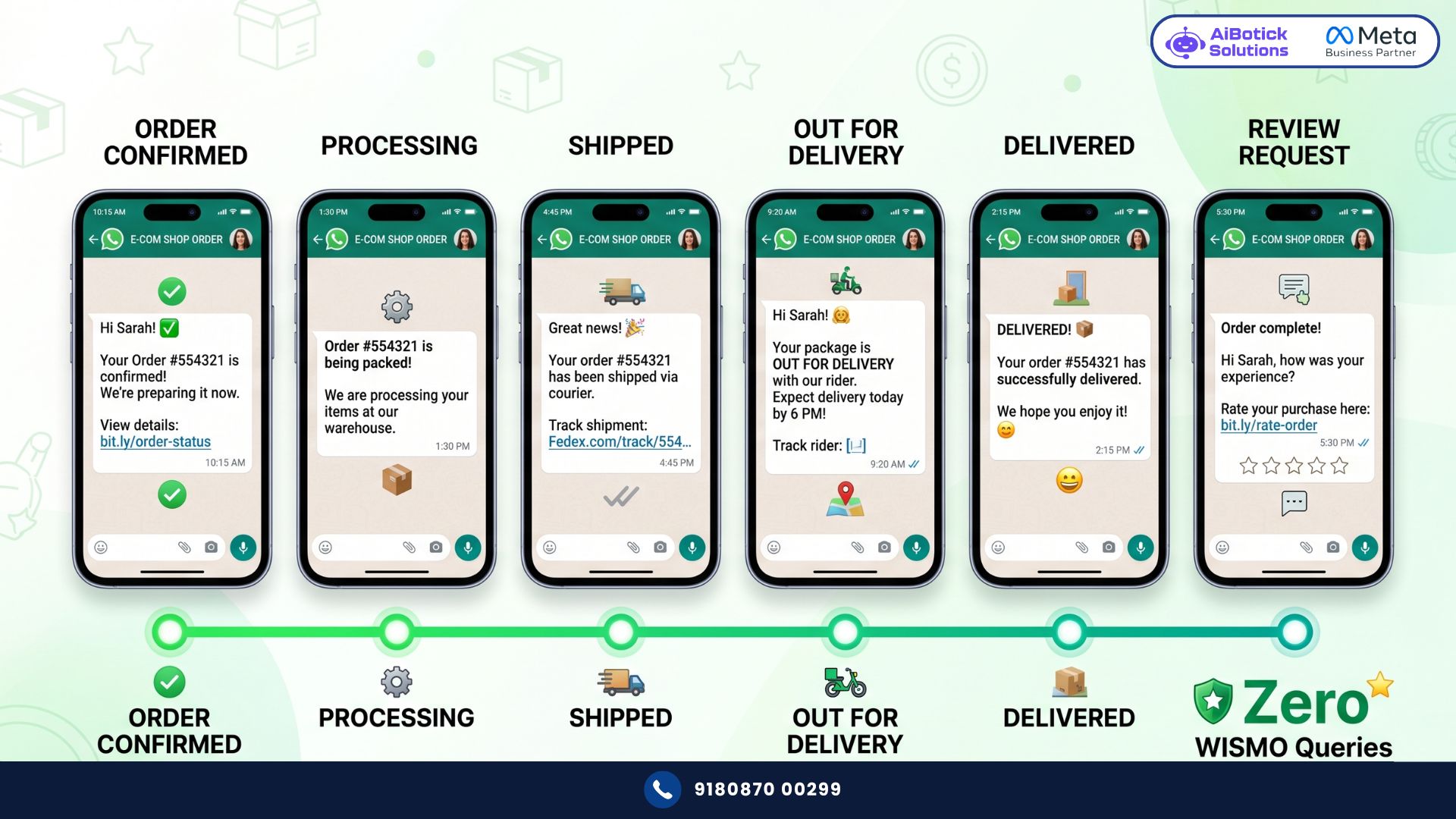
New experience with WhatsApp order tracking:
- Thursday 2:34pm — Order placed → Instant WhatsApp: “Hey Rahul! Your order #ORD2847 is confirmed. We’ll keep you updated right here on WhatsApp 😊”
- Thursday 5:15pm — Processing → WhatsApp: “Your order is being packed and will be handed to our courier partner shortly!”
- Friday 9:02am — Shipped → WhatsApp: “Your order is on its way! 🎉 Track here: [tracking link] — Expected delivery: Monday 28th April”
- Monday 10:45am — Out for delivery → WhatsApp: “Your order is out for delivery today! Our delivery partner will arrive by evening.”
- Monday 4:18pm — Delivered → WhatsApp: “Your order has been delivered! Hope you love it 💯 Quick question — how was your experience? [Review link]”
Five touchpoints. Zero queries. Customer informed at every stage without lifting a finger.
That’s WhatsApp order tracking done right.
Every Update You Should Be Sending — Complete List
Here’s the full WhatsApp order tracking sequence most brands should implement:
Stage 1 — Order Confirmed Trigger: Order placed successfully (any payment method) Message: Order ID, items ordered, total amount, expected delivery window Purpose: Immediate reassurance. Reduces “did my order go through?” queries.
Stage 2 — Payment Confirmed (for prepaid orders) Trigger: Payment gateway confirms successful transaction Message: Payment amount, payment method, confirmation number Purpose: Eliminates payment anxiety. Critical for first-time customers.
Stage 3 — Order Processing Trigger: Order status changes to Processing/Being Packed Message: “Your order is being prepared” — simple, warm Purpose: Keeps customer engaged without over-communicating
Stage 4 — Order Shipped — The Most Important One Trigger: Tracking number assigned, status changes to Shipped Message: Courier name, tracking number, tracking link, expected delivery date Purpose: This single message eliminates 60-70% of WISMO queries. Customer now has everything they need.
Stage 5 — Out for Delivery Trigger: Courier status changes to Out for Delivery Message: “Your order arrives today!” + delivery time window if available Purpose: Customer plans their day. Reduces failed delivery attempts.
Stage 6 — Delivered Trigger: Courier marks as Delivered Message: Delivery confirmation + review request Purpose: Close the loop. Invite feedback while experience is fresh.
Stage 7 — Delivery Failed / Returned to Origin (if applicable) Trigger: Delivery attempt failed Message: What happened, how to reschedule, contact for support Purpose: Proactive communication before customer panics
The Technical Setup — How It Actually Works
This is where most explanations go vague. Not here.
For WooCommerce stores: WooCommerce has built-in order status updates. When order status changes — webhook fires to AiBotick — WhatsApp message sent. For courier tracking integration — you need a courier tracking plugin (like Shiprocket, Delhivery, or similar) connected to WooCommerce. Their status updates trigger the WhatsApp messages.
For Shopify stores: Shopify’s native fulfillment system triggers webhooks on every order status change. AiBotick receives the trigger and fires the WhatsApp. For detailed courier tracking — Shopify’s courier integration apps handle this.
For both platforms — what AiBotick does:
- Connects to your store via webhook
- Receives real-time order status events
- Maps each status to the right WhatsApp message template
- Personalises with customer name, order ID, product name, tracking link
- Sends automatically — no manual trigger needed
Setup time: One onboarding session. Most brands are live within 48 hours.
For the full picture on connecting WhatsApp to your ecommerce store — our WooCommerce WhatsApp integration guide covers the complete technical setup.
Real Numbers — Hyderabad Electronics Brand
Concrete example. Because theory doesn’t pay your bills.
Electronics accessories brand. Hyderabad. Doing Rs.35L GMV/month on Shopify.
Before WhatsApp order tracking:
- Daily support queries: 110
- WISMO queries: 42/day (38% of total)
- Support team: 3 people, constantly overwhelmed
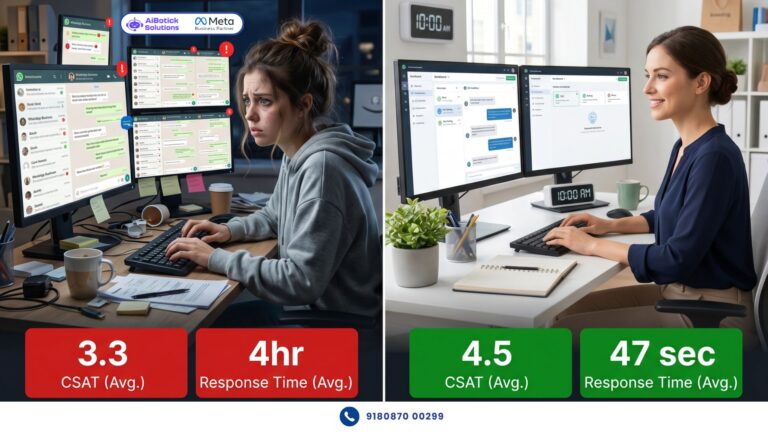
- Average response time: 3.5 hours
- Customer satisfaction score: 3.2/5
After implementing WhatsApp order tracking (90 days):
- Daily support queries: 68 (38% reduction total)
- WISMO queries: 9/day — down from 42 (78% reduction)
- Same 3-person support team now handling complex queries only
- Average response time: 22 minutes (team freed up for real issues)
- Customer satisfaction score: 4.4/5
And the review request message at delivery stage — drove 140 new verified product reviews in 90 days. Organically. Without any manual effort.
Reviews that directly impact conversion rates for new customers. Reviews that cost Rs.0 to collect.
What People Get Wrong About WhatsApp Order Tracking
Honestly bhai — two mistakes I see constantly.
Mistake 1 — Sending too many updates for simple orders
Seven messages for a same-day delivery order? That’s overkill. Customer gets update at 10am, delivery at 2pm — they don’t need 4 WhatsApps in between.
Match your update frequency to your delivery timeline. 3-5 day delivery — all stages make sense. Same-day delivery — 3 updates maximum (confirmed, out for delivery, delivered).
Don’t over-communicate. WhatsApp’s power comes from relevance, not volume.
Mistake 2 — Sending tracking link without mobile-optimised tracking page
This one kills me every time. Brand sends WhatsApp with tracking link. Customer taps link. Opens a desktop-designed tracking page that looks terrible on mobile. Customer can’t read anything. Calls support anyway.
Before going live with WhatsApp order tracking — test your tracking page on mobile. Make sure it loads fast. Make sure it’s readable. Make sure the status is displayed clearly.
The WhatsApp message is only as good as the experience it leads to.
Actually wait — here’s what I recommend. Test the entire journey yourself. Place a test order. Watch every WhatsApp arrive. Click every link. Experience what your customer experiences. You’ll catch problems you’d never find any other way.
The Bonus — WhatsApp Order Tracking Builds Repeat Customers
This is the part most brands miss completely.
Every WhatsApp order tracking message is a brand touchpoint. Done right — it builds relationship, not just delivers information.
The tone matters. “Your order #ORD2847 has been dispatched” — functional but cold.
“Hey Rahul, great news! Your order is on its way 🎉 Can’t wait for you to get it!” — same information, completely different feeling.
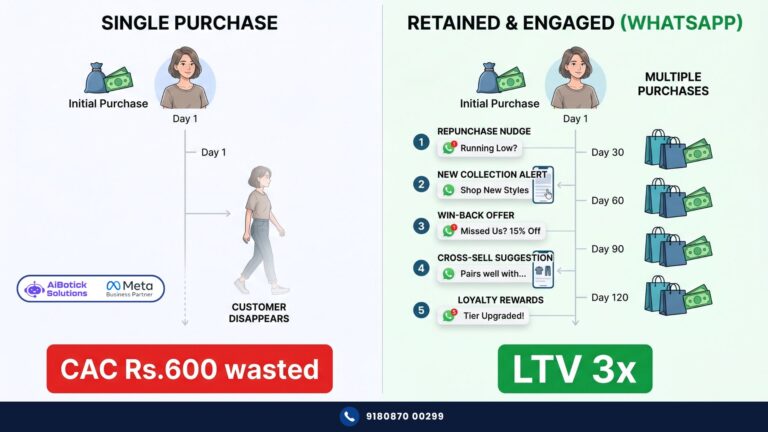
Customers who feel good about their purchase experience — they come back. They refer friends. They leave reviews.
And here’s the compound effect — every customer who has your WhatsApp business number saved (because they received order updates from it) is automatically more likely to open your future broadcast campaigns. Your opted-in list grows organically with every order.
That’s why WhatsApp order tracking isn’t just a support efficiency play. It’s a relationship-building, repeat-purchase-driving, opted-in-list-growing machine.
For the full calculation on what repeat purchases mean for your revenue — our WhatsApp automation ROI breakdown shows exactly how to quantify this.
How to Get Started — Exactly What to Do
Simple. In order of priority:
Do this first: Set up Order Confirmed + Order Shipped messages. These two alone eliminate 60-70% of WISMO queries. Everything else builds on top.
Do this second: Add Out for Delivery + Delivered messages. Delivered message doubles as review collection trigger.
Do this third: Add Processing and Payment Confirmed messages for the complete journey.
Do this last: Build the WISMO bot — customer types “where is my order” and bot automatically fetches and shares their order status. This handles the remaining queries that come in despite proactive updates.
Don’t try to set up everything in day 1. Priority flows first. Refine. Add layers.
Ab simple question — agar aapka store abhi bhi “where is my order” queries se duba hua hai — aur aapki team yeh same question 30-40 baar roz answer kar rahi hai — why?
WhatsApp order tracking fix karta hai yeh problem. Permanently. Automatically.
Tap below. 👇 Tell us your store platform and monthly order volume — we’ll show you exactly which tracking messages to set up first and what WISMO reduction you can realistically expect.
— Mohit Shah | 15+ years Learning & Growing in IT Industry | 4+ years in WhatsApp automation | Now helping businesses figure out what actually works
Q1: How does WhatsApp order tracking reduce customer support queries for Indian ecommerce brands?
A1: WhatsApp order tracking sends automatic personalised updates at every order stage — confirmed, shipped, out for delivery, delivered — before customers think to ask. This eliminates 60-80% of “where is my order” queries proactively. A Hyderabad electronics brand reduced WISMO queries from 42/day to 9/day within 90 days of implementing WhatsApp order tracking, freeing their support team for complex issues.
Q2: What are the most important WhatsApp order tracking messages to set up first?
A2: Start with two priority messages — Order Confirmed and Order Shipped. These two alone eliminate 60-70% of WISMO queries because they give customers immediate reassurance and a tracking link before anxiety sets in. Add Out for Delivery and Delivered messages second. Processing and Payment Confirmed can be added later. Don’t try to set up all 7 stages simultaneously — priority flows first.
Q3: How long does it take to set up WhatsApp order tracking for a WooCommerce or Shopify store?
A3: With proper onboarding support, most brands are fully live with WhatsApp order tracking within 48 hours. The process involves connecting your store via webhooks, building message templates in the flow builder, getting Meta template approval (usually a few hours), and testing the complete journey with a real order. No coding or developer required — AiBotick’s onboarding team handles the technical setup with you in one session.