Most WooCommerce store owners I meet are drowning.
500 orders a month. 3 people managing everything. Customer queries piling up in email. WhatsApp messages coming in on someone’s personal phone. Order updates going out via default WooCommerce emails that nobody reads.
And somewhere in that chaos — abandoned carts silently bleeding revenue. COD orders getting rejected at delivery. Repeat customers never coming back because nobody followed up.
Yaar, I’ve spent 15 years in IT and 3 years specifically in WhatsApp automation. And WooCommerce is India’s most popular ecommerce platform — lakhs of businesses running on it. Yet the percentage actually using WhatsApp WooCommerce integration properly? Tiny. Embarrassingly tiny.
So let’s fix that today. Everything. How it works, what it does, real numbers, common mistakes. By the end — you’ll know exactly what to set up and in what order.
Why WooCommerce + WhatsApp Is a Different Beast Than Shopify
Quick clarification upfront — because I get this question a lot.
Shopify is hosted. WooCommerce runs on WordPress — self-hosted, open-source, infinitely customizable. Most Indian ecommerce businesses — especially those who started lean and built over time — are on WooCommerce.
The integration mechanics are slightly different from Shopify. But the outcome is identical — every key event in your store automatically triggers the right WhatsApp message to the right customer at the right time.
Actually wait — in some ways WooCommerce integration is MORE powerful than Shopify. Because WooCommerce’s webhook system is more flexible. More events you can trigger on. More customisation possible without touching code.
For the full picture on what WhatsApp automation can do for ecommerce broadly — our abandoned cart WhatsApp recovery guide covers the revenue math in detail.
What WhatsApp WooCommerce Integration Actually Does
Let me break this down event by event. Because this is where most explanations go vague — and vague doesn’t help you.
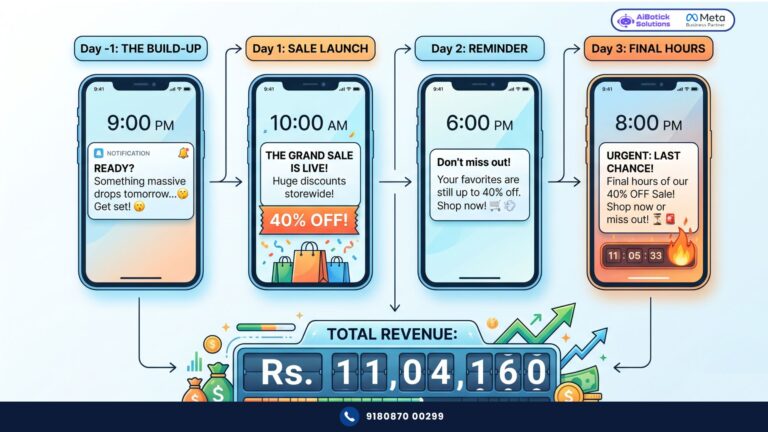
Trigger: Customer adds to cart but doesn’t checkout → WhatsApp abandoned cart sequence fires (30 min, 24 hrs, 72 hrs) → Personalised with customer name, product name, cart link → Stops automatically when purchase completes
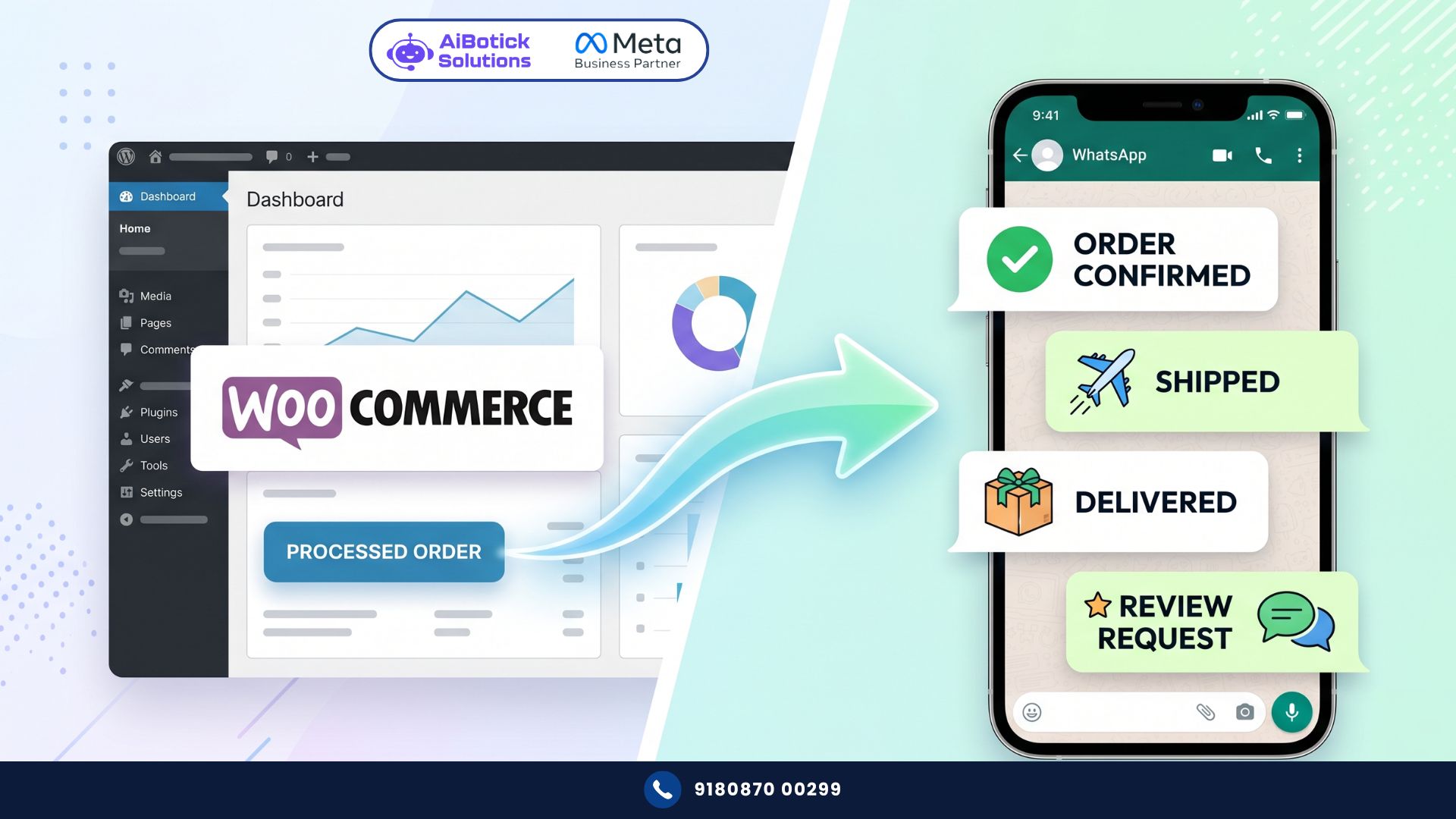
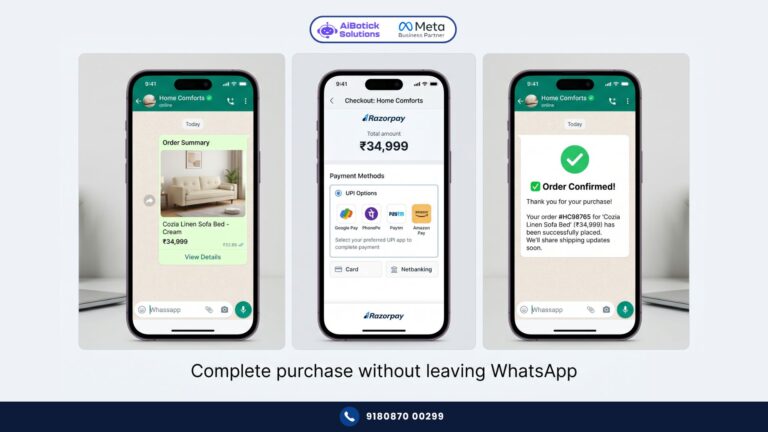
Trigger: Order placed (any payment method) → Instant WhatsApp order confirmation → Order ID, items, total amount, expected delivery → Replaces or supplements WooCommerce default email
Trigger: COD order placed → Immediate WhatsApp confirmation request → “Confirm your order? Reply YES or NO” → Reduces RTO rates 40-60% — this alone saves thousands monthly
Trigger: Payment received / confirmed → Payment confirmation WhatsApp → Reassures customer, reduces support queries about payment status
Trigger: Order status changed to Processing → “Your order is being prepared” update → Simple. Keeps customer informed. Reduces “where is my order?” queries dramatically.
Trigger: Order shipped → Shipping confirmation with tracking link → Courier name, tracking number, expected delivery date → Customer knows exactly where their order is without calling you
Trigger: Order delivered → Delivery confirmation → Review request — “How was your experience? Tap to leave a review” → This drives Google reviews, Trustpilot ratings, product reviews on your site
Trigger: Order refund processed → Refund confirmation WhatsApp → Amount, timeline, payment method → Reduces refund-related support queries completely
Trigger: Product back in stock → WhatsApp alert to customers who requested back-in-stock notification → Drives immediate purchases from warm, waiting customers
The COD Problem — India-Specific and Very Real
No no, scratch that — let me start with a number first.
If your WooCommerce store does 400 COD orders per month and your RTO rate is 22% — that’s 88 returned orders. At Rs.200 average reverse logistics cost — Rs.17,600 wasted. Every month. On top of the lost sale.
WhatsApp COD confirmation flow — sends immediately after COD order placed:
“Hey [Name]! Your order #[Order ID] for [Product] worth Rs.[Amount] is confirmed. 😊 Just reply YES to confirm delivery or NO to cancel. Our team will ensure smooth delivery!”
Customer replies YES — order proceeds. Customer replies NO — order cancelled before dispatch. You save forward shipping cost entirely.
Customers who would’ve refused delivery — they cancel now via WhatsApp. Comfortably. Without the awkward doorstep conversation with the delivery person.
In my experience working with WooCommerce brands — this single flow reduces COD RTO rates by 40-65%. For the brand above — from 22% RTO to under 10%.
Monthly saving: from Rs.17,600 wasted to under Rs.8,000. Rs.9,600/month saved.
Annual: Rs.1,15,200 saved. From one WhatsApp flow. Set up once.
WhatsApp WooCommerce — The Technical Setup (Plain English)
I know what you’re thinking. “Mohit bhai, main WordPress developer nahi hoon.”
You don’t need to be. Here’s exactly what happens:
Step 1 — WhatsApp Business API setup Your business number gets officially connected to the WhatsApp API through AiBotick. Number verified, business profile created, templates approved. This takes 24-48 hours.
Step 2 — WooCommerce webhook connection AiBotick connects to your WooCommerce store via webhooks — basically telling your store “whenever X happens, notify AiBotick.” This is done through your WooCommerce settings — no custom coding needed. AiBotick’s onboarding team does this with you in one session.
Step 3 — Flow building In AiBotick’s visual flow builder — you set up each automation. Which WooCommerce event triggers which WhatsApp message. What the message says. What personalisation variables to use (customer name, order ID, product name, tracking link).
Step 4 — Template approval Any outbound message template needs Meta approval before it can be sent. AiBotick helps you write compliant templates and submit them. Approval typically takes a few hours.
Step 5 — Test and go live Place a test order. Watch the WhatsApp messages fire in real time. Confirm everything looks right. Go live.
Total setup time with proper guidance — one full day. Most brands are live within 48 hours of starting.
Real Numbers — Pune Fashion WooCommerce Brand
Concrete example. Because theory is useless without numbers.
Women’s fashion brand. Pune. WooCommerce store doing Rs.22L GMV/month.
Situation before WhatsApp WooCommerce integration:
- Cart abandonment rate: 74% — recovering 3.8% via email = Rs.61,864 recovered
- COD orders: 55% of total = Rs.12.1L — RTO rate 19% = Rs.2.3L in RTO losses monthly
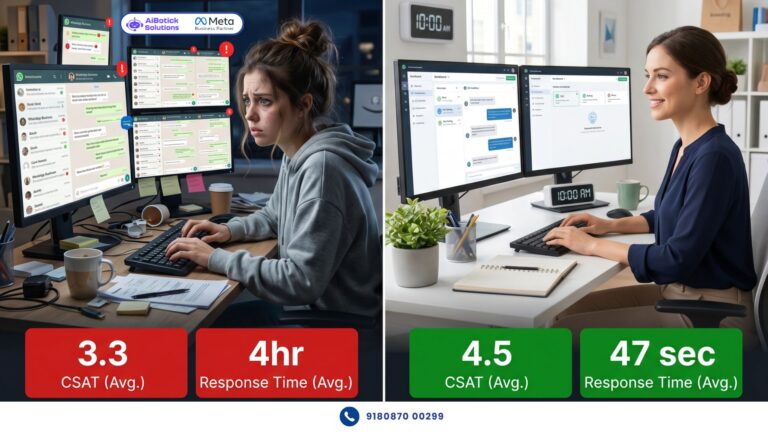
- Customer support load: 180 queries/day, 2.5-person team, 4-hour average response time
- Repeat purchase rate: 16% within 60 days
After 90 days:
- Cart recovery via WhatsApp: 13% — Rs.2,11,640 recovered (3.4x improvement)
- COD RTO rate dropped to 8% — RTO losses down to Rs.97,000 — saving Rs.1,33,000/month
- Support queries handled by bot: 68% — team now handling only complex cases, response time under 12 minutes
- Repeat purchase rate: 24% within 60 days (driven by post-delivery follow-up sequence)
Total monthly impact: Rs.3,44,000+ in recovered revenue and saved costs.
Platform cost: Rs.3,750/month (Scale plan annual).
92x monthly return. Seedha baat — numbers don’t lie.
What Most WooCommerce Brands Get Wrong
Honestly? Three mistakes I see constantly.
Mistake 1 — Setting up automation without building the opted-in list first
WhatsApp automation only works with opted-in contacts. You need permission to message customers.
How to collect opt-ins on WooCommerce:
- Checkout page checkbox — “Get order updates on WhatsApp” (pre-ticked, customer can uncheck)
- Website chat widget — customers who initiate chat are automatically opted in
- Post-purchase thank you page — “Join our WhatsApp community for exclusive offers”
- Packaging inserts with QR code — “Scan for order support on WhatsApp”
Start building your opted-in list from day one. It compounds over time into your most valuable marketing asset.
Mistake 2 — Using default WooCommerce email AND WhatsApp for same updates
Customer gets order confirmation email AND WhatsApp message within seconds of each other. Feels spammy. Redundant.
Pick one as primary. Supplement with other only where it adds value. Most brands make WhatsApp primary for transactional updates — faster, higher open rate, more personal. Email becomes backup for formal records and longer content.
Mistake 3 — Ignoring the post-delivery sequence
The money is in the post-delivery relationship. Most brands stop at “your order is delivered.” Full stop.
The brands that win long-term — they send:
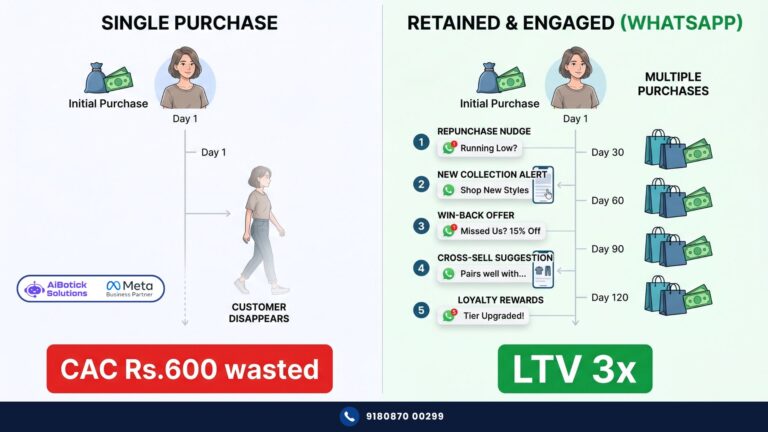
- Day 1 after delivery: “Did everything arrive perfectly?”
- Day 3: Review request — “2 minutes to share your experience?”
- Day 30: Repurchase nudge — “Running low? Your favourites are back in stock”
- Day 60: Cross-sell — “Customers who bought [Product] also loved [Related Product]”
This sequence — done right via WhatsApp — is what takes repeat purchase rates from 16% to 24%+. That’s not a small number. For a Rs.22L/month store — going from 16% to 24% repeat rate means Rs.1.76L additional revenue per month from existing customers alone.
WooCommerce vs Shopify — Which Integration Is Better for WhatsApp?
Genuinely asked question. Honest answer.
Both work equally well for the core automation flows. The difference is in customisation depth.
WooCommerce — being open-source — allows more custom webhook triggers. If you have a specific event in your store that’s unique to your business model — you can trigger a WhatsApp message from it. Shopify has more limitations here.
But Shopify is easier to set up initially — more standardised, less variability.
If you’re on WooCommerce — the integration is powerful. Don’t let anyone tell you WhatsApp automation is only for Shopify. It absolutely works — and works exceptionally well — on WooCommerce.
For a direct comparison of what WhatsApp for Shopify looks like — we covered the full Shopify integration in this guide.
Ab seedha baat karte hain.
Agar aapka WooCommerce store hai — aur WhatsApp integration abhi tak nahi ki — aap every single month a very specific, very calculable amount of money chhod rahe ho.
Cart abandonment money. RTO losses. Repeat purchases that never happened. Reviews that were never requested. All of it — recoverable with the right setup.
The setup isn’t complex. The results aren’t slow.
Tap below. 👇 Tell us your store’s monthly GMV and current pain points — we’ll map out exactly which flows to set up first and what realistic impact looks like for your numbers.
— Mohit Shah | 15 years in IT industry | 4+ years in WhatsApp automation | Now helping businesses figure out what actually works
Q1: How does WhatsApp WooCommerce integration work for Indian ecommerce stores?
A1: WooCommerce’s webhook system sends real-time signals to AiBotick’s WhatsApp platform whenever a store event occurs — order placed, payment confirmed, order shipped, cart abandoned. AiBotick automatically fires personalised WhatsApp messages to customers with their name, order details, tracking links, and relevant information. No coding required — setup is done through WooCommerce settings with onboarding support.
Q2: What is the most important WhatsApp flow to set up first for a WooCommerce store?
A2: For most Indian WooCommerce stores — COD confirmation flow gives the fastest ROI. If COD orders are 50%+ of your business and your RTO rate is above 15%, this single flow can save Rs.1L+ annually by reducing returns before dispatch. Second priority is abandoned cart recovery. Third is order status automation. Set these three up first before adding broadcast campaigns or post-purchase sequences.
Q3: Does WhatsApp WooCommerce integration work without a developer?
A3: Yes — completely. AiBotick’s WooCommerce integration connects through standard webhook settings in your WordPress dashboard. No custom coding required. The AiBotick onboarding team walks you through the full setup in one session, typically 2-3 hours. Most stores are fully live within 48 hours of starting the process.