Your CRM has all the customer data. Your WhatsApp has all the actual conversations. And never the twain shall meet.
This is the silent productivity killer in most Indian sales and support teams — and almost nobody talks about it.
WhatsApp CRM integration is the fix. And once you’ve done it, you’ll wonder how you ever worked without it.
The Problem Nobody Admits Out Loud
Sales exec opens HubSpot. Checks lead status. Opens WhatsApp on phone. Scrolls to find the conversation. Copies some notes back into CRM. Forgets half of it. Manager asks for pipeline update. Exec has to manually piece together what happened across 3 tools.
Multiply this by 10 salespeople. Multiply by 200 active leads. Every. Single. Day.
Yaar, this isn’t a sales problem. This is a data chaos problem. And it’s bleeding hours — and deals — out of your business quietly.
I saw this up close when I was working with a logistics SaaS company a few years back. Their sales team was sharp, their product was solid, their CRM was set up properly. But WhatsApp conversations — which is where 70% of their actual customer communication was happening — existed in a completely separate universe. No logs. No history. No visibility for the manager.
A lead would come in, get contacted on WhatsApp, have 3 conversations with a sales rep, and then that rep would go on leave. New rep picks up — zero context. Calls the lead, asks basic questions the lead already answered. Lead thinks “ye log serious nahi hain” and goes to a competitor.
Deal lost. Not because of product. Not because of price. Because of disconnected data.
What WhatsApp CRM Integration Actually Means
Let’s be clear about what we’re talking about — because people use this term loosely.
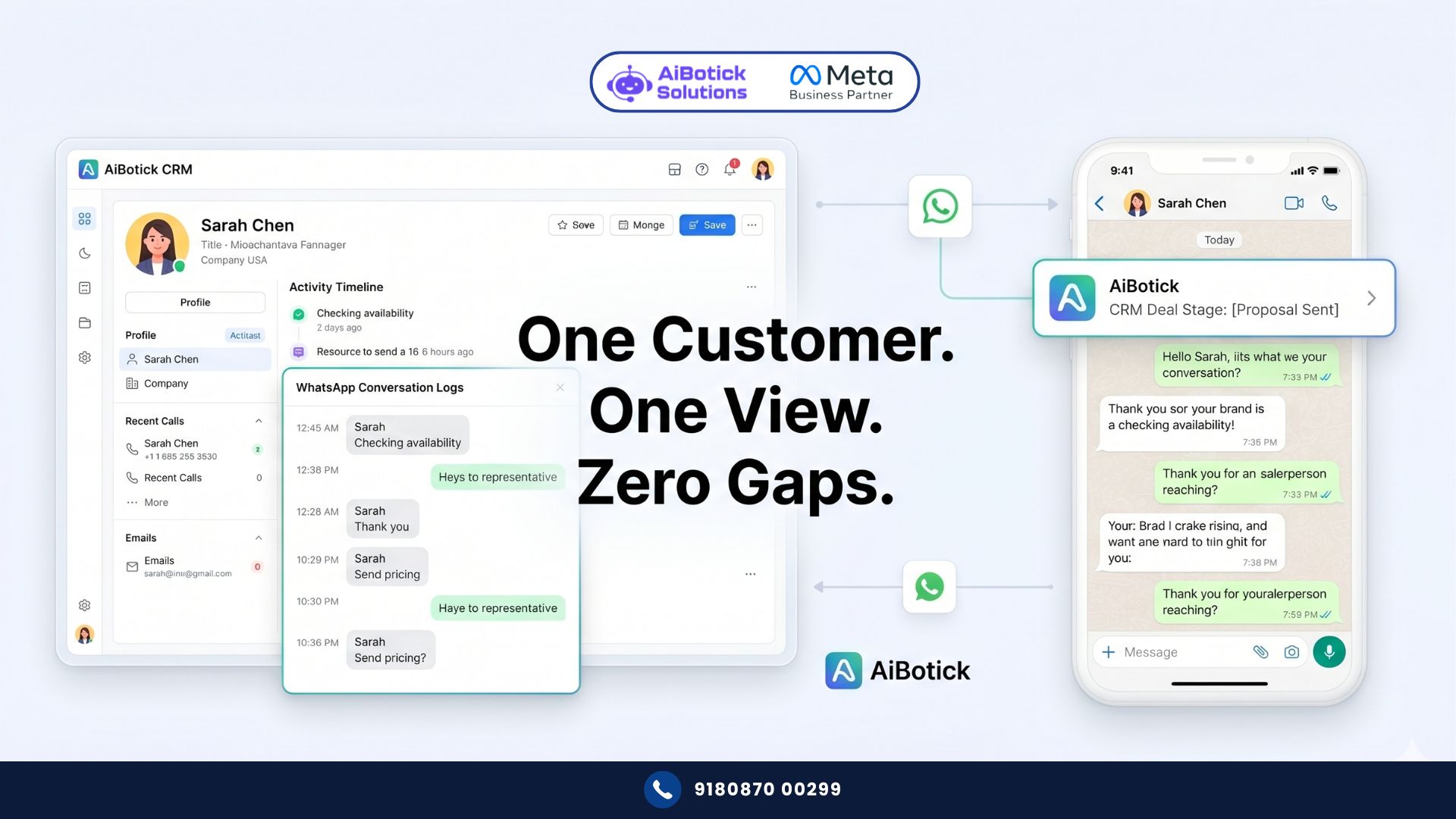
WhatsApp CRM integration means your WhatsApp conversations and your CRM data are connected. Bidirectionally. In real time.
Specifically, it means:
- When a lead comes in via WhatsApp, their contact is automatically created in your CRM
- Every WhatsApp conversation is logged against the right contact record
- CRM fields (deal stage, company size, last interaction) are visible inside WhatsApp
- Actions in WhatsApp can trigger CRM updates — and vice versa
- Your manager sees the full customer journey in one place — not split across a phone and a software
This is not the same as manually copy-pasting WhatsApp notes into your CRM at end of day. That’s not integration. That’s wishful thinking with extra steps. 😅
Why This Matters More Than Most People Realise
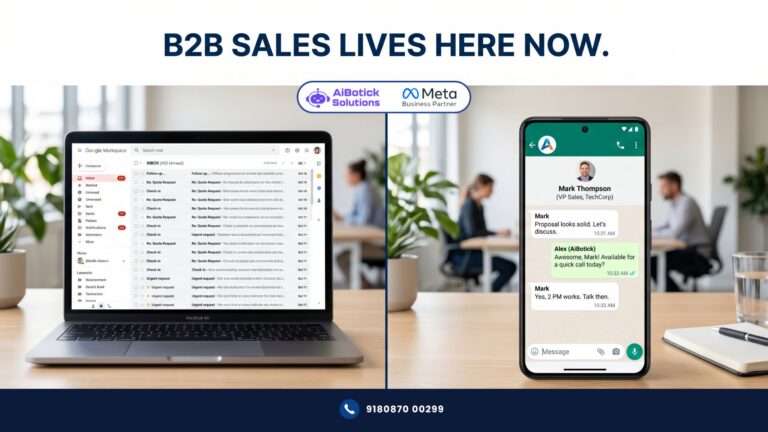
Here’s a number that should bother you: research consistently shows that 50-70% of B2B sales conversations in India happen on WhatsApp. Not email. Not phone calls. WhatsApp.
And yet most CRMs have zero native WhatsApp data. Which means your CRM — the system you’re paying for, reporting from, forecasting with — is built on an incomplete picture.
Your forecast is wrong. Your pipeline health reports are wrong. Your “lost deal” analysis is wrong — because you can’t analyse what you can’t see.
WhatsApp CRM integration fixes the foundation. Everything built on top of it becomes more accurate.
The 4 Types of WhatsApp CRM Integration — Know What You’re Setting Up
Not all integrations are equal. And choosing the wrong type wastes months.
Type 1 — Contact Sync Only
Basic level. New WhatsApp contacts get created in CRM. That’s it. No conversation logging. Better than nothing, but barely.
Type 2 — Conversation Logging
Every WhatsApp message is logged against the CRM contact record. Your sales manager can read the actual conversation from inside HubSpot or Zoho. This is where things start getting useful.
Type 3 — Trigger-Based Automation
CRM events trigger WhatsApp messages. Lead moves to “Proposal Sent” stage in CRM → WhatsApp message automatically sent to prospect. Payment due in CRM → WhatsApp reminder fires. This is where WhatsApp CRM integration starts saving real time.
Actually wait — this third type is where most businesses underestimate the impact. Because you’re not just connecting data, you’re automating touchpoints that used to require a human remembering to do something.
Type 4 — Full Bidirectional Integration
The gold standard. WhatsApp actions update CRM. CRM actions trigger WhatsApp. Data flows both ways, in real time, with no manual intervention. Your team operates from one system. Customer sees a company that knows their history and responds in context. Every time.
This is what AiBotick’s WhatsApp CRM integration delivers — and if you’ve already read our breakdown of the shared team inbox on WhatsApp, you’ll recognise how the inbox layer sits on top of this data layer to make your team genuinely efficient.
What People Get Wrong About WhatsApp CRM Integration
Wrong belief #1: “We’ll just use Zapier to connect them.”
Zapier works for basic contact sync. But for real-time conversation logging, trigger-based automation, and bidirectional data flow — Zapier starts breaking down. Lag issues. Zap failures. Data gaps. Paid at scale for something that’s unreliable.
Real WhatsApp CRM integration needs a proper API connection — not a workaround.
Wrong belief #2: “Our CRM doesn’t support WhatsApp.”
Most modern CRMs — HubSpot, Zoho, Salesforce, Freshsales — support WhatsApp via API. The CRM isn’t the bottleneck. The WhatsApp Business API setup is. Get the API right first, then the CRM integration is straightforward.
Wrong belief #3: “This is only for large enterprise teams.”
Nope. I’ve seen 5-person sales teams completely transformed by WhatsApp CRM integration. The time saved on manual logging alone — even for a small team — is significant. And the quality of customer interactions improves immediately because everyone has context.
Wrong belief #4: “Integration is a one-time setup.”
It’s ongoing. Your CRM fields change. Your WhatsApp flows evolve. The integration needs maintenance. Build this into your ops, not just your launch plan.
Real Example: A Pune-Based EdTech Company
They had 3 sales executives, a HubSpot CRM, and around 400 active leads at any point.
Problem: WhatsApp conversations were happening on personal phones. No logging. No visibility. When a lead converted, nobody could trace back what communication had worked. When a lead went cold, nobody knew what the last touchpoint was.
They set up WhatsApp CRM integration through AiBotick — all conversations flowing through a shared inbox, automatically tagged and logged against HubSpot contacts. CRM stage changes triggering WhatsApp follow-ups automatically.
Results in 90 days:
- Manual follow-up time dropped by 4 hours per sales exec per week
- Lead response time went from avg 6 hours to under 45 minutes (because the right person was assigned immediately based on CRM tags)
- Deal closure rate improved by 22% — because no lead was falling through the gap between WhatsApp and CRM anymore
Ab socho — same team, same product, same leads. Just connected data. That’s it.
Which CRMs Work Best with WhatsApp Integration
Seedha bolta hoon — here’s what I’ve seen work well in the Indian market:
HubSpot — Best overall for SMEs. Clean API. Good WhatsApp integration support. Free tier is limiting but paid tiers work well.
Zoho CRM — Strong for Indian businesses. Native WhatsApp support improving. Good value.
Salesforce — Powerful but overkill for most SMEs. If you’re already on it, integration is solid.
Freshsales — Underrated. Good WhatsApp support. Competitive pricing. Worth considering for growing teams.
Leadsquared — Popular in Indian EdTech and BFSI. WhatsApp integration works well for high-volume lead management.
If you’re not on any CRM yet — start with HubSpot Free or Zoho Free. Get the WhatsApp integration working. Then upgrade as you scale. Don’t buy enterprise CRM before you have the basics working.
How to Set Up WhatsApp CRM Integration — The Practical Steps
No no, scratch that. I was about to write a super technical setup guide. But most of you don’t need that. You need the decision framework first.
Step 1 — Decide what data matters most Before touching any API, answer this: what do you need to see in your CRM that you currently can’t? Conversation history? Lead source? Response time? Define the 3-5 data points that would change how your team works.
Step 2 — Audit your current CRM setup Is your CRM actually being used properly? If your team isn’t logging calls, they won’t use WhatsApp integration either. Integration amplifies good habits and bad habits equally.
Step 3 — Set up WhatsApp Business API first The integration only works with the API — not the regular WhatsApp Business app. This is the foundation. Everything else builds on it. For context on what the API actually unlocks beyond CRM integration, this deep-dive on WhatsApp automation ROI shows the full business case for getting the API setup right.
Step 4 — Map your triggers Which CRM events should trigger WhatsApp messages? Which WhatsApp actions should update CRM fields? Map this on paper before building anything. 20 minutes of mapping saves 20 hours of rebuilding.
Step 5 — Test with one sales rep first Don’t roll out to the whole team on day one. Run with one rep for 2 weeks. See what breaks. Fix it. Then scale.
Step 6 — Train the team on the new workflow The technology is 30% of the challenge. Adoption is 70%. Your team needs to understand why this exists and how it makes their day easier — not just that management wants them to use it.
Honestly? My Take on WhatsApp CRM Integration
I think this is one of the most underrated operational improvements a growing Indian business can make. Not because it’s flashy. Because it removes friction from the one process that directly generates revenue — customer communication.
Most businesses obsess over getting new leads. They spend lakhs on ads. And then lose 30-40% of those leads to poor follow-up because the communication data is scattered across 3 phones and a CRM that has no idea what was discussed on WhatsApp.
WhatsApp CRM integration doesn’t just save time. It closes that gap. And in a market where response speed and personalisation win deals — this is not optional anymore. 💯
Quick Action Checklist
👇 Do these this week:
- Map the 3 biggest data gaps between your WhatsApp and your CRM today
- Identify which CRM your team actually uses (not which one you pay for)
- Check if you have WhatsApp Business API or just the app
- List 5 triggers — CRM events that should auto-send a WhatsApp message
- Identify 1 sales rep to pilot the integration with for 2 weeks
That’s your starting point. Not a 6-month tech project. Five decisions this week.
If you want to set up proper WhatsApp CRM integration for your business without the technical headache — Chat with us on WhatsApp and we’ll walk you through exactly what your setup needs to look like.
— Mohit Shah | 15+ years in IT industry | 4+ years in WhatsApp automation | Worked with various MNC brands | Now helping businesses figure out what actually works
Q1: Which CRMs support WhatsApp CRM integration in India?
A1: Most modern CRMs support WhatsApp Business API integration — including HubSpot, Zoho CRM, Salesforce, Freshsales, and Leadsquared. HubSpot and Zoho are the most popular choices for Indian SMEs due to pricing and ease of setup. The key requirement is having WhatsApp Business API access — the regular WhatsApp Business app does not support CRM integration.
Q2: Can I use Zapier to integrate WhatsApp with my CRM?
A2: Zapier works for basic contact sync but breaks down for real-time conversation logging and bidirectional data flow. For a reliable WhatsApp CRM integration that logs conversations, triggers automated messages from CRM events, and updates records in real time — you need a proper API-based integration, not a Zapier workaround.
Q3: How long does it take to set up WhatsApp CRM integration?
The technical setup typically takes 3-7 days depending on your CRM and how complex your trigger logic is. The bigger time investment is in the mapping phase — deciding what data flows where and what triggers what. Businesses that spend time on this upfront typically go live faster and have fewer issues post-launch. Pilot with one sales rep for 2 weeks before rolling out to the full team.