Picture this scene. A patient gets a blood test done at 8am.
By 2pm — results are ready in the lab system. But the lab’s process is: print report, put in envelope, patient comes to collect. Or send via email — which the patient checks “sometime.”
So the patient calls at 4pm. “Kya report aa gayi?” Receptionist checks. “Haan, aa gayi.” “Email pe bhejo.” Receptionist sends. Patient doesn’t know which folder to check. Calls again at 5pm. Receptionist resends.
Meanwhile — the doctor who ordered the test is waiting too. Patient needs to show doctor the report. They can’t get an appointment until the report is in hand. Treatment delayed by 1-2 days because a report that was ready at 2pm didn’t reach the right person until 6pm.
Multiply this across 200-400 tests per day at a mid-size diagnostic centre.
Multiply the staff hours. The call volume. The patient frustration. The doctor delays.
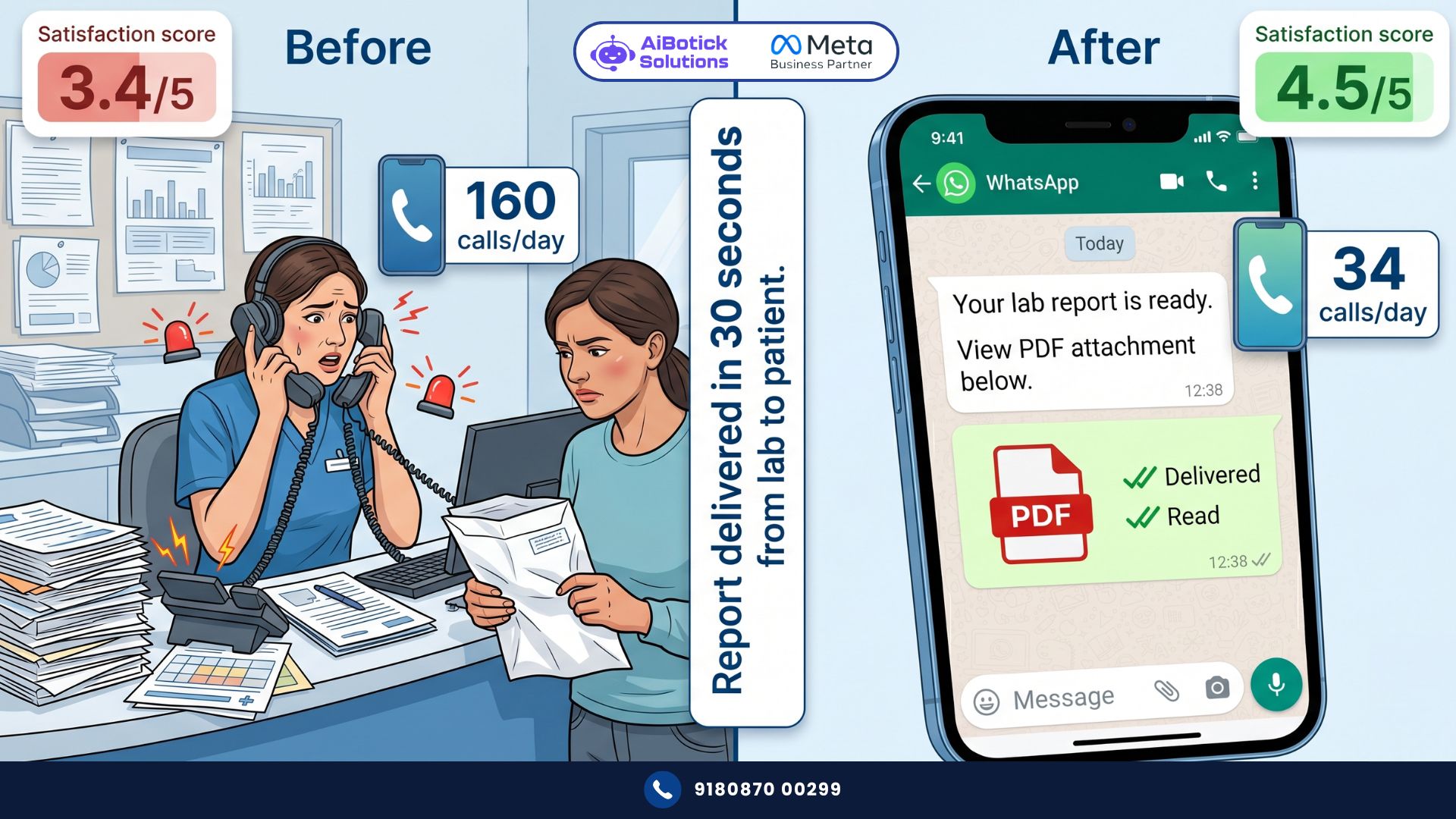
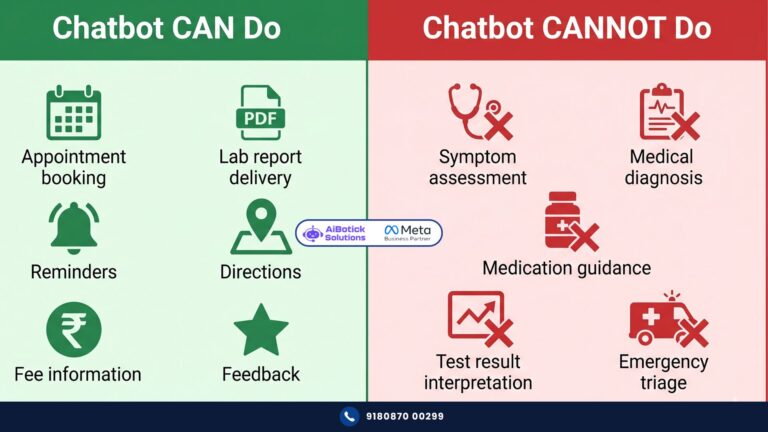
Lab reports on WhatsApp eliminates this entire chain. Report ready → WhatsApp message to patient with PDF attached → patient receives in 30 seconds → shares with doctor immediately → treatment begins.
No calls. No lost emails. No “print and collect” delays. No repeated resending.
I’ve worked with diagnostic centres specifically on this over the last 4+ years. And lab reports on WhatsApp is — hands down — the highest patient satisfaction improvement per implementation effort I’ve seen in healthcare automation.
Simple to set up. Immediate patient impact. Measurable operational savings.
Let me show you exactly how.
The Real Problem With How Indian Diagnostic Centres Currently Share Reports
Let me map the current state of report delivery at most Indian diagnostic centres. Because until you see the problem clearly — the solution doesn’t feel urgent.
Method 1 — Physical collection: Patient comes to the centre to collect printed report. Fine for patients who live nearby. Nightmare for patients who travelled from another part of the city, took the test on the way to work, and can’t come back during the day.
Method 2 — Email delivery: Staff email the PDF. Problems: patient gives wrong email at registration (very common in India). Patient doesn’t check email regularly. PDF goes to spam. Patient can’t find it. Staff resends. Patient screenshot on phone and sends via WhatsApp to doctor anyway — so why not just WhatsApp directly?
Method 3 — WhatsApp (manual, personal number): Some progressive labs already send reports on WhatsApp. But via a staff member’s personal phone. No audit trail. No consistency. If that staff member is off — reports don’t go. If they leave — you lose access to that number’s history. Not scalable. Not professional.
Method 4 — Proprietary app: Some large hospital groups have patient apps. Patient downloads app, creates account, finds their report. Penetration: terrible. Most patients don’t download healthcare apps for one diagnostic centre. And certainly not for the standalone lab they used once.
Lab reports on WhatsApp through the official Business API solves every one of these. Correct number (verified at registration). Direct delivery to WhatsApp (where patients already are). Professional, trackable, consistent. No app download. No email check. Just a WhatsApp notification — read within 5 minutes in 95% of cases.
What Lab Reports on WhatsApp Actually Looks Like — The Complete Flow
Here’s the end-to-end system, from sample collection to report delivery to follow-up.
Step 1 — Patient Registration with WhatsApp Opt-In
When patient registers at the centre — before or at sample collection:
“To receive your reports directly on WhatsApp — please verify your number below. Standard WhatsApp charges apply.”
Patient confirms their number. That number is verified and tied to their patient ID in the system.
This opt-in step — critical. You cannot send unsolicited WhatsApp messages to patients. But asking at registration — when they’re already at your counter, already sharing contact details — opt-in rate is typically 85-95%. Most patients actively want their reports on WhatsApp. You’re solving their problem, not creating one.
Step 2 — Sample Collection Confirmation
Immediately after sample is collected:
“Namaste [Patient Name]! 🙏
We’ve received your sample at [Lab Name]. Here’s a summary:
🔬 Tests ordered: [List of tests] 📋 Sample collected: [Date, Time] ⏰ Expected report time: [Time/Date]
Your reports will be sent to this WhatsApp number as soon as they’re ready.
Patient ID: [ID] — save this for reference.
Questions? Just reply here. — [Lab Name]”
This message does something important — it manages patient expectations. “Your report will be ready by [Time]” — patient stops calling to check. They know exactly when to expect it.
The reduction in “is my report ready?” calls from this single confirmation message alone: 40-50% drop in inbound calls. Before the report even goes out.
Step 3 — Report Ready — Internal Alert
Report is finalized by the lab technician/pathologist in the LIS (Laboratory Information System). System marks report as “ready for dispatch.”
This triggers an automated alert to the WhatsApp dispatch queue. No manual step. No staff remembering to send. The system knows — report ready → dispatch via WhatsApp immediately.
Step 4 — Report Delivery on WhatsApp
“[Patient Name], your reports are ready! 🎉
Tests completed: ✅ [Test 1] — [Normal/Abnormal/See report] ✅ [Test 2] — [Normal/Abnormal/See report] ✅ [Test 3] — [Normal/Abnormal/See report]
📎 Your detailed report: [PDF Link or Attachment]
Please share this report with your doctor for proper interpretation.
⚠️ Note: Lab reports are for medical evaluation by qualified doctors. Please do not self-diagnose based on these results.
For any queries about your report — reply here or call [Number]. — [Lab Name], [Location]”
Three important design choices here:
The brief summary before the PDF: Patient sees at a glance which tests are “Normal” vs “Abnormal/See report.” This helps them assess urgency before opening the PDF. A quick “All Normal” status reduces anxiety immediately for routine tests.
The doctor consultation note: Always include it. Both for patient wellbeing and for liability. An abnormal result without context creates panic. This message reminds patients to discuss with their doctor.
The “See report” for abnormal values: Never say “Abnormal” without a “See report” qualifier. Different context: a slightly elevated WBC could be nothing or could be significant. The detailed PDF has the reference ranges, the pathologist’s notes, the context. Don’t alarm patients with a one-word “Abnormal” in a WhatsApp message.
Step 5 — Doctor Copy (If Requested)
For tests ordered by a specific doctor — simultaneous copy to the referring doctor’s WhatsApp.
“Dr. [Name], reports for your patient [Patient Name / Patient ID] are ready.
Tests: [List] Report attached: [PDF]
For queries — reply here. — [Lab Name]”
This step — delivering simultaneously to both patient and doctor — cuts treatment delay dramatically. Doctor doesn’t wait for patient to bring the report to the next appointment. They already have it. They can call the patient proactively if needed. They can plan the consultation before the patient even arrives.
For time-sensitive tests — critical values (dangerously abnormal results that need immediate medical attention) — this step is not optional. Critical values should trigger an immediate WhatsApp to the doctor AND a phone call from the lab, simultaneously.
Step 6 — Report Acknowledgment and Feedback
12 hours after report delivery:
“Hi [Patient Name], hope you’ve received your reports and had a chance to share them with your doctor. 😊
Quick question — did you receive your report properly? 1️⃣ Yes, received clearly 2️⃣ Had difficulty opening the PDF 3️⃣ Need a re-send
Also — how was your experience at [Lab Name] today? ⭐ Poor | ⭐⭐ Okay | ⭐⭐⭐ Good | ⭐⭐⭐⭐ Great | ⭐⭐⭐⭐⭐ Excellent”
Two purposes. Delivery confirmation (if patient couldn’t open PDF — immediate re-send). And feedback collection — at the right moment, when the experience is fresh.
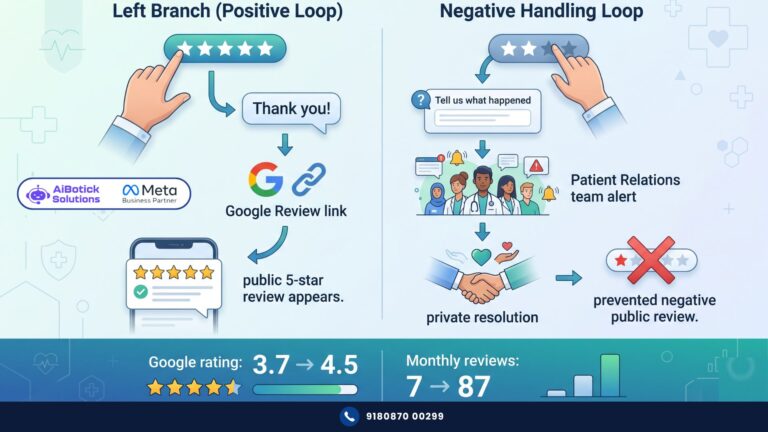
Google review rate from labs that send this feedback message: 3-5x higher than labs that don’t. Because the ask is frictionless, immediate, and in the channel the patient is already engaged with.
Step 7 — Follow-Up Test Reminder (For Repeat Tests)
For doctors who order periodic monitoring — HbA1c every 3 months, lipid profile every 6 months, thyroid annually — the lab can set up automated reminders.
“Hi [Patient Name]! 😊 Just a reminder from [Lab Name].
It’s been approximately 3 months since your last [Test Name] with us. Dr. [Name] typically recommends this test quarterly.
Would you like to book your next test? 1️⃣ Yes, book appointment 2️⃣ I’ll call to book 3️⃣ Not needed right now”
This transforms a transactional diagnostic visit into an ongoing health relationship. And from a business perspective — a patient who books repeat tests with you is 5x more valuable over a lifetime than a one-time visitor.
Real Numbers — Mumbai Diagnostic Chain (Multiple Locations)
Specific. Verified. No rounding up.
Diagnostic centre chain. Mumbai. 4 locations. Combined 380-420 tests per day.
Before lab reports on WhatsApp:
- Report delivery method: email (primary), physical collection, occasional manual WhatsApp from personal phones
- “Is my report ready?” inbound calls: 160-180 per day across all locations
- Staff time on report-related calls: approximately 8 hours daily (across all locations combined)
- Patient satisfaction rating (quarterly survey): 3.4/5
- Google review count (monthly new reviews): 8-11
- Repeat patient rate (same patient returning within 6 months): 28%
After 90 days with lab reports on WhatsApp:
- Report delivery: WhatsApp primary (87% of patients opted in at registration)
- “Is my report ready?” calls: 34 per day (79% reduction)
- Staff time on report-related calls: 1.8 hours daily (dramatically reduced)
- Patient satisfaction rating: 4.5/5
- Google review count: 41 per month (nearly 4x increase — feedback message driving this)
- Repeat patient rate: 39% within 6 months (11 percentage point improvement)
Revenue impact:
Staff hours saved: 6.2 hours/day across 4 locations × 26 working days = 161 hours/month. At Rs.150/hour staff cost — Rs.24,150/month in direct staff cost savings.
Repeat patient improvement: from 28% to 39% on ~400 monthly unique patients = 44 additional repeat visits. At Rs.800 average diagnostic bill × 44 = Rs.35,200/month additional revenue from improved retention.
Google review improvement: from 8-11 to 41 monthly reviews. Organic new patient acquisition from improved ratings — conservative estimate 15-20 additional new patients monthly. At Rs.800 average = Rs.12,000-16,000/month.
Total monthly impact: approximately Rs.75,000-85,000/month.
Platform cost: Rs.45,000/year = Rs.3,750/month.
22-23x monthly ROI.
And the patient satisfaction improvement from 3.4 to 4.5 — this compounds into brand reputation, referrals, and long-term patient loyalty in ways that are harder to quantify but very real.
What Diagnostic Centres Get Wrong About Lab Reports on WhatsApp
Actually wait — I want to address a very specific technical mistake I’ve seen multiple times.
Sending reports as image screenshots instead of proper PDFs.
Some labs, trying to “do WhatsApp reports” quickly, screenshot the report from their LIS software and send the JPEG to the patient.
This looks terrible. Small text, resolution loss, not shareable with doctors in any professional context. And it creates legal uncertainty — a screenshot of a medical report is not the same as an officially issued report with the lab’s letterhead, pathologist’s signature, and accreditation details.
Lab reports on WhatsApp must be the actual PDF report generated by your LIS. Not a screenshot. Not a photo of the printed report.
If your LIS generates PDFs — those PDFs should go directly. If your LIS doesn’t generate PDFs easily — invest in that capability first. It’s foundational.
Second common mistake: sending reports to unverified numbers.
Someone registered with their family member’s number. Someone gave a wrong number by mistake. Report with sensitive health information going to the wrong person.
The opt-in WhatsApp verification step at registration — where you send a quick “Reply YES to confirm this is your WhatsApp for report delivery” — eliminates this. Patient verifies the number is correct before any health data is sent.
Non-negotiable for any health data. Build the verification step.
For understanding how WhatsApp automation handles sensitive data and patient communication broadly — our WhatsApp appointment booking guide covers the healthcare-specific privacy and compliance considerations.
The Home Collection Angle — WhatsApp Makes This Seamless
Quick but important section. Home collection is growing rapidly in Indian diagnostics post-COVID. And lab reports on WhatsApp is even more valuable for home collection patients — because they never come to the lab at all.
For home collection:
Booking confirmation on WhatsApp — time, address confirmed, phlebotomist name shared.
Phlebotomist dispatch notification — “Your home collection team will arrive in approximately [X minutes]. [Name] from our team will be visiting.”
Sample collected confirmation — “Your sample has been collected and is on its way to our lab.”
Report ready — WhatsApp PDF delivered, same as in-lab patient.
Feedback — same follow-up message.
The complete home collection experience — handled entirely on WhatsApp. No app. No website login. Patient just receives updates on the channel they check most frequently.
For the ROI framework on how automation compounds across patient touchpoints — our WhatsApp automation ROI guide has the specific healthcare lifetime value calculations.
Setting Up Lab Reports on WhatsApp — Exactly What to Do
Step 1 — Assess your LIS (Laboratory Information System)
Can it generate PDFs automatically when a report is marked as complete? Can it expose a webhook or API when report status changes? This determines your integration complexity.
Most modern LIS software (Metropolis, Thyrocare, SoftLIS, MyLab, others) — has API or webhook capability. Older systems — may need a middleware layer.
Step 2 — Build the WhatsApp opt-in at registration
Add a step to your registration process: collect WhatsApp number, send verification message, patient confirms. Store confirmed number in patient profile.
If your registration is digital — this can be automated. If paper-based — receptionist adds to process.
Step 3 — Connect LIS to AiBotick via webhook
When report is marked “Ready for dispatch” in LIS → webhook fires → AiBotick receives patient ID, test list, report PDF link → WhatsApp message fires to confirmed patient number with PDF attached.
This connection — once set up — runs automatically. Every single report. Without staff touching it.
Step 4 — Build doctor notification flow
For tests with referring doctor — simultaneous notification to doctor’s WhatsApp with patient ID (not full patient name — for HIPAA-equivalent discretion) and report PDF.
Step 5 — Build critical value escalation
Define which test results constitute “critical values” requiring immediate human escalation. These should trigger not just WhatsApp but also an automatic phone alert to the duty pathologist.
Step 6 — Build feedback collection
12-hour post-delivery feedback message. Set up Google review link in the positive feedback path. Route negative feedback to a human for immediate follow-up.
Step 7 — Test end-to-end with real report
Generate a test patient report. Go through the complete flow. Verify PDF opens on multiple devices (Android and iOS). Verify doctor notification fires. Verify feedback message timing. Only then go live.
Toh yaar — ek direct question.
Aapke diagnostic centre mein roz kitne patients “report aa gayi kya?” ke liye call karte hain?
Unka time. Aapke staff ka time. Woh frustration jo dono sides pe hoti hai.
Lab reports on WhatsApp that entire problem permanently. Reports delivered the moment they’re ready. Patients notified instantly. Staff phones stop ringing. Patient satisfaction scores go up. Google reviews start coming in.
And the follow-up test reminders — they quietly build a repeat patient programme that most diagnostic centres have never had.
Tap below. 👇 Tell us your daily test volume, current report delivery method, and your LIS software — we’ll design your complete lab reports on WhatsApp delivery system and show you the patient experience improvement and revenue impact for your specific centre.
— Mohit Shah | 15+ years in IT industry | 4+ years in WhatsApp automation | Worked with various MNC brands | Now helping businesses figure out what actually works
Q1: How do diagnostic centres deliver lab reports on WhatsApp — what is the technical process?
A1: Lab reports on WhatsApp work through LIS (Laboratory Information System) integration — when a report is marked “ready for dispatch” in the LIS, a webhook fires to the WhatsApp platform, which automatically sends the patient a message with the PDF report attached. The patient receives this within 30-60 seconds of the report being finalised. For this to work correctly, the patient’s WhatsApp number must be verified at registration (via a confirmation message), and reports must be actual PDF files — not screenshots or photos of printed reports.
Q2: What are the compliance and privacy requirements for sending lab reports on WhatsApp?
A2: Three requirements are non-negotiable. First — patient opt-in and number verification at registration, confirming the correct WhatsApp number before any health data is sent. Second — reports should be accompanied by a clear note that results require doctor interpretation, never self-diagnosis. Third — critical values (dangerously abnormal results) must trigger both a WhatsApp notification AND a direct phone call from the lab simultaneously, not WhatsApp alone. The lab reports WhatsApp system should never be the only escalation path for life-threatening values.
Q3: How does WhatsApp lab report delivery improve patient satisfaction and repeat visit rates?
A3: WhatsApp lab report delivery improves patient satisfaction through three mechanisms — instant delivery (patients receive reports within minutes of finalization versus hours), frictionless access (no email search, no PDF not opening, no “app not working”), and integrated feedback collection (a 12-hour follow-up message asking for a satisfaction rating generates 3-5x more Google reviews than labs that don’t ask). A Mumbai diagnostic chain improved satisfaction scores from 3.4 to 4.5/5 and repeat patient rates from 28% to 39% within 90 days of implementing WhatsApp lab report delivery.